
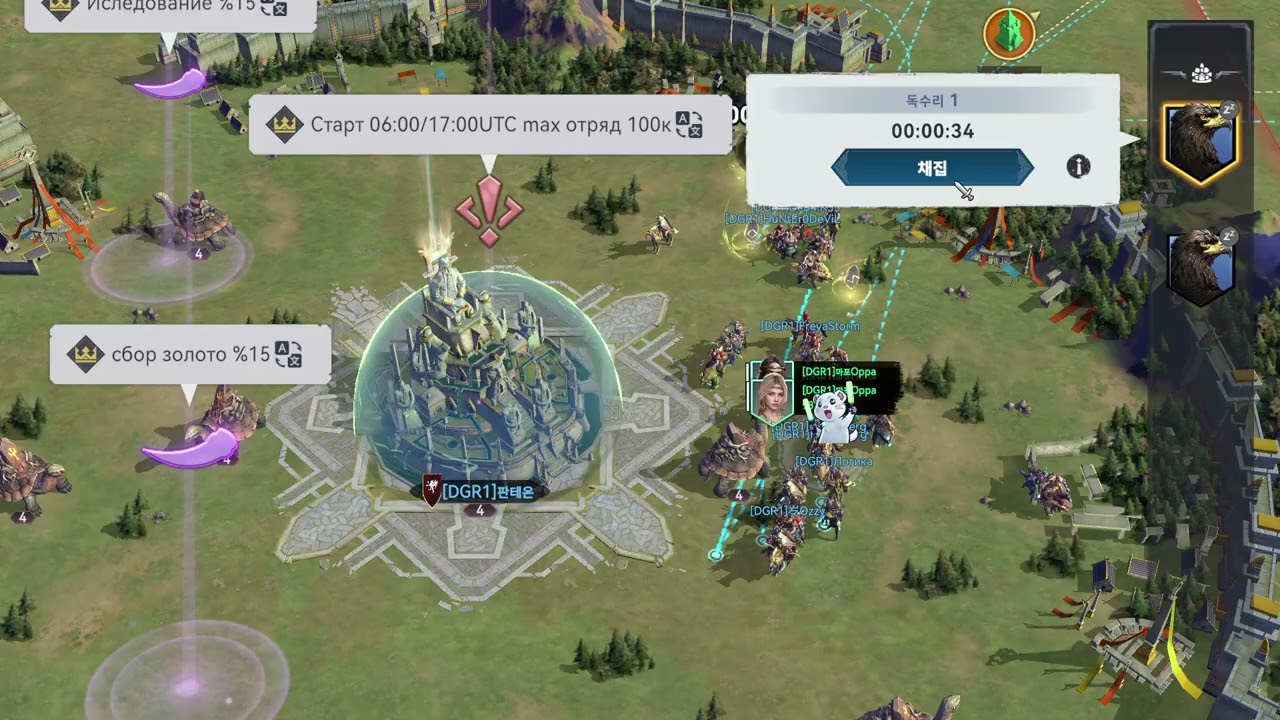
To hunt monsters in Viking Rise, open the world map outside your sanctuary, select the magnifying glass search tool in the bottom-left corner, set your monster level, and dispatch a march. To farm efficiently, enable consecutive hunting so your squad chains attacks to the nearest target without marching back to base between fights.
How to Locate Monsters with the Search Tool
Manually scrolling across the map wastes time and can route your troops across impassable terrain or enemy borders. The built-in search radar identifies the nearest available monster that matches your level selection.
- Exit your sanctuary to enter the kingdom map view.
- Select the magnifying glass icon located in the bottom-left corner of the screen.
- Select the monster tab from the radar menu.
- Adjust the level slider to your target tier.
- Tap or click Search to center your view on the closest matching target.
- Verify the projected march time along the drawn line before confirming your attack squad.
If the travel time exceeds two minutes, relocate your sanctuary closer to high-density monster spawns or re-center your map search closer to friendly territory.
Target Selection and Level Unlocks
Viking Rise requires sequential progression for PvE encounters. You must defeat a monster tier once before the game permits you to target the next tier on the map (for example, defeating a Level 11 monster unlocks Level 12 searches).
| Target Factor | Guideline | Progression Impact |
|---|---|---|
| Monster Level | Highest cleared tier with under 5% severe casualties | Maximizes Hero EXP and equipment materials without draining healing resources |
| March Duration | Under two minutes per target | Minimizes transit time and increases stamina consumption speed |
| Troop Matchup | Deploy troop counters (e.g., anti-cavalry against beasts) | Lowers damage taken and reduces wounded counts sent to the Infirmary |
| Location | Proximity to sanctuary or allied territory | Avoids drifting into contested zones during active war or kill events |
If a fight results in high hospital counts, reduce the level slider by one tier. The marginal drop in loot is less costly than spending speedups and resources to heal heavy troop casualties.
How to Set Up Consecutive Hunting
Consecutive hunting keeps your squad in the field, redirecting them immediately to the next closest monster of the chosen tier once the current battle resolves.
- Select your target monster using the search tool and press attack.
- Form your march by assigning your primary and secondary heroes along with your troop composition.
- Check the Auto-Hunt or repeat battle box on the squad deployment screen.
- Launch the march.
The squad will continue attacking nearby targets until one of three conditions occurs:
- The squad runs out of Chief Stamina.
- The squad's remaining troop health falls below the safe operating threshold.
- You manually recall the march.
Do not leave consecutive hunting unattended in unshielded or hostile areas. As your squad defeats targets, each successive engagement shifts their position farther from your sanctuary, leaving them vulnerable to enemy players.
Managing Stamina and Platform Controls
Every monster attack consumes a set amount of Chief Stamina. To maximize your stamina efficiency:
- Use Stamina-Reducing Talents: Lead marches with heroes possessing talents that reduce PvE stamina costs to get more battles per stamina pool.
- Level Secondary Heroes: Pair under-leveled heroes behind a strong primary commander so they collect direct battle EXP without consuming standalone EXP tomes.
- Save Stamina Potions for Events: Spend baseline stamina daily to prevent passive regeneration from capping, but reserve stored stamina items for alliance or kingdom PvE events.
PC Steam vs. Mobile Controls
On the PC Steam client, use mouse-wheel zoom to instantly pull back to the tactical map view. This allows you to monitor nearby player movements while running hunts. The PC version also supports hotkeys to switch between sanctuary and kingdom views faster than touchscreen navigation. When playing on mobile, avoid tapping targets while zoomed out, as pinch-to-zoom gestures can accidentally select adjacent resource nodes instead of your intended monster.

Free Viking Rise Codes
Current active codes and how to redeem them.

Michael Smith
Michael covers live-service games, events, reward systems, and efficient daily routines, turning frequent updates into clear actions for players.
COMMUNITY
Player Comments
100 players commented on this guide.
This guide answered the exact question I had.
The tips are practical and easy to follow.
The explanation is clear, especially for beginners.
Can you add more details about strategy in a future update?