

Play Wasteland Ocean Survival RPG on Windows PC
Download the official Wasteland Ocean Survival RPG Windows PC client and learn how to install and play the game on PC, with controls, system requirements, and practical tips.

Download Wasteland Ocean Survival RPG Official Windows PC Client
Official Windows PC client provided by LDPlayer.
About the Official Wasteland Ocean Survival RPG PC Client
Developer: KZL Games Studio(Private)Limited
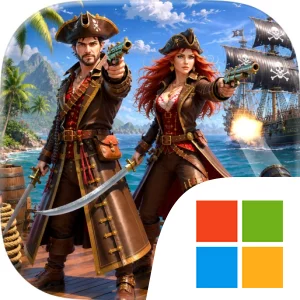
The central gameplay loop is built around surviving, collecting, building, and venturing farther. You start with almost nothing, so the first priority is to search for resources and establish enough control over your circumstances to continue. Rare resources become important targets rather than incidental pickups, giving exploration a practical purpose beyond sightseeing. Dangerous islands offer new places to investigate, but they also carry the risk of enemies and pirates, making each landing a choice that weighs potential rewards against immediate danger. As your supplies and capabilities improve, building your own ship becomes the most visible form of progression. The ship is not just a shelter or a goal; it represents the gradual transformation from being stranded on a damaged raft to having a more reliable base for ocean survival. You will need to balance the demands of hunger, storm conditions, resource searches, and hostile encounters while deciding when to explore, when to gather, and when to protect what you have already secured.
Combat and exploration are closely connected because the islands and ocean routes are both opportunities and hazards. Fighting pirates gives your journeys a direct threat to manage, while the broader presence of enemies prevents resource hunting from becoming a purely routine activity. Strategy comes from choosing where to go, what to pursue, and how much risk your current supplies can support. On PC, a larger display can make the surrounding ocean, raft, ship, and island spaces easier to read at a glance, which is useful when planning a route, judging where to explore next, or reacting to a storm while trying to preserve your progress. Keyboard-and-mouse input can also make repeated survival actions and combat more manageable: moving between exploration and gathering tasks, selecting the resources you need, and responding quickly when pirates or other enemies create pressure. A mouse is particularly useful for comparing what you have collected and identifying the supplies worth prioritizing, while keyboard controls can keep movement and defensive actions readily available during dangerous encounters. Wasteland Ocean Survival RPG is therefore less about one dramatic victory than about building a future from a damaged raft, one resource search, island expedition, pirate fight, and ship improvement at a time.
Screenshots
How to Download and Install the Official Wasteland Ocean Survival RPG PC Client
- Download and install the official Windows client distributed by LDPlayer.
- Open the app and sign in with your Google Play account.
- Search for Wasteland Ocean Survival RPG in the app store.
- Install the game and finish the first-launch download.
- Use the same game login if account sync is available.
Why Play Wasteland Ocean Survival RPG on PC?
Menus, maps, resources, and combat details are easier to read on a desktop display.
Keyboard and mouse input makes repeated actions and long sessions more comfortable.
Desktop play avoids phone battery drain during longer farming sessions.
Keep guides, codes, and notes open alongside the game on PC.
Controls and Performance
These three settings solve most common issues when playing on PC.
Map navigation, skill use, and repeated resource actions first.
Lower resolution or graphics quality if crowded scenes lose frames.
Link your account before switching devices so progress can be restored safely.
Wasteland Ocean Survival RPG Official PC Client FAQ
Can I play Wasteland Ocean Survival RPG on PC?
Yes. Download the official Windows PC client distributed by LDPlayer and play with a larger screen, keyboard, and mouse controls.
Is Wasteland Ocean Survival RPG better on PC than mobile?
Playing on PC can make longer sessions, detailed menus, and resource management more comfortable, while mobile is still convenient for quick check-ins.
Will my Wasteland Ocean Survival RPG progress sync on PC?
Progress depends on the sign-in options supported by the game. Use the same linked Google, Facebook, Apple, or game account on both devices.
Why does Wasteland Ocean Survival RPG lag on PC?
Lag can be caused by limited RAM, demanding graphics settings, outdated client files, or background apps. Lower the graphics settings and keep the PC client up to date.
DOWNLOAD STARTED
Your download is starting
Check your browser Downloads if it does not appear.
Official PC client for Windows, distributed by LDPlayer.
Download again