

Play Wedding Fashion Stars on Windows PC
Download the official Wedding Fashion Stars Windows PC client and learn how to install and play the game on PC, with controls, system requirements, and practical tips.

Download Wedding Fashion Stars Official Windows PC Client
Official Windows PC client provided by LDPlayer.
About the Official Wedding Fashion Stars PC Client
Developer: GAMEXIS
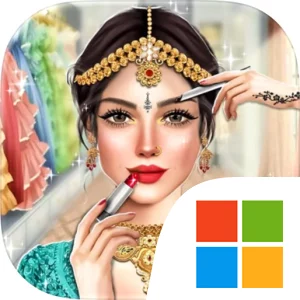
The wardrobe is the main foundation of that loop, with more than 100 bridal dresses to browse alongside bridal makeup kits, hairstyles, jewellery, heels, accessories, and other wedding outfit options. A session can therefore involve comparing a timeless white gown for a Western bride, selecting vibrant colors for a South American celebration, or adding henna designs and culturally appropriate details to an Indian bride’s look. The store description also highlights the importance of knowing what to wear and when to wear it, making coordination more important than treating every item as interchangeable decoration. As you create successful bridal looks and win competitions, rewards can unlock new accessories, makeup options, and outfits, giving the collection a steady sense of growth. The Bridal Challenges Mode becomes another objective as your fashion skills improve, while the stage tour and dress-show presentation give each completed makeover a reason to be judged rather than left in a private wardrobe. Competition against other brides, including the themed Black Friday wedding dress-up sale, adds a performance element: your decisions are evaluated as a finished ensemble, and cultural authenticity, grace, individuality, and visual appeal all matter to the fantasy of becoming a fashion star or queen.
On PC, the larger display is especially useful when you are comparing several dresses, makeup choices, jewellery pieces, and accessories before committing to a complete bridal appearance. Seeing the full character and the relationship between colors, hairstyles, heels, and the chosen gown at a larger size makes it easier to catch mismatched details and refine the look for a competition or stage tour. Keyboard-and-mouse input also suits the game’s repeated selection and browsing actions. A mouse can make it faster to move through the extensive dress collection, switch between makeup wedding kits, and inspect individual styling categories, while keyboard input can complement those frequent navigation actions without relying on small touch controls. That combination is practical when you are preparing multiple bride characters and bridesmaids or revisiting unlocked options during Bridal Challenges Mode. With its focus on creative coordination, cultural wedding themes, unlockable fashion content, and friendly presentation-based competition, Wedding Fashion Stars offers a focused makeover experience for players who enjoy building complete bridal looks and gradually expanding their stylist’s collection.
Screenshots
How to Download and Install the Official Wedding Fashion Stars PC Client
- Download and install the official Windows client distributed by LDPlayer.
- Open the app and sign in with your Google Play account.
- Search for Wedding Fashion Stars in the app store.
- Install the game and finish the first-launch download.
- Use the same game login if account sync is available.
Why Play Wedding Fashion Stars on PC?
Menus, maps, resources, and combat details are easier to read on a desktop display.
Keyboard and mouse input makes repeated actions and long sessions more comfortable.
Desktop play avoids phone battery drain during longer farming sessions.
Keep guides, codes, and notes open alongside the game on PC.
Controls and Performance
These three settings solve most common issues when playing on PC.
Map navigation, skill use, and repeated resource actions first.
Lower resolution or graphics quality if crowded scenes lose frames.
Link your account before switching devices so progress can be restored safely.
Wedding Fashion Stars Official PC Client FAQ
Can I play Wedding Fashion Stars on PC?
Yes. Download the official Windows PC client distributed by LDPlayer and play with a larger screen, keyboard, and mouse controls.
Is Wedding Fashion Stars better on PC than mobile?
Playing on PC can make longer sessions, detailed menus, and resource management more comfortable, while mobile is still convenient for quick check-ins.
Will my Wedding Fashion Stars progress sync on PC?
Progress depends on the sign-in options supported by the game. Use the same linked Google, Facebook, Apple, or game account on both devices.
Why does Wedding Fashion Stars lag on PC?
Lag can be caused by limited RAM, demanding graphics settings, outdated client files, or background apps. Lower the graphics settings and keep the PC client up to date.
DOWNLOAD STARTED
Your download is starting
Check your browser Downloads if it does not appear.
Official PC client for Windows, distributed by LDPlayer.
Download again