

Play 50 Tiny Room Escape on Windows PC
Download the official 50 Tiny Room Escape Windows PC client and learn how to install and play the game on PC, with controls, system requirements, and practical tips.

Download 50 Tiny Room Escape Official Windows PC Client
Official Windows PC client provided by LDPlayer.
About the Official 50 Tiny Room Escape PC Client
Developer: Kiary Games Ltd
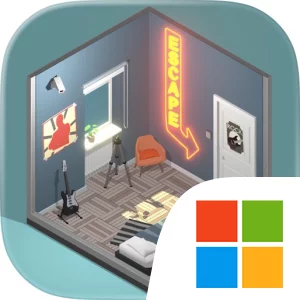
The main gameplay loop is built on observation, experimentation, and deduction. Each of the 50 puzzle rooms is presented as a fully 3D environment designed to look like an isometric diorama, and the levels can—and should—be rotated so you can inspect them from different angles. Since almost everything visible may be interactive, progress depends on carefully scanning the room rather than checking only the most obvious object. You might need to examine a scene from another side, recognize a clue hidden in the arrangement of objects, connect information from separate parts of the room, and then apply the solution to a code lock, riddle, or other problem. The variety of locations means the same basic goal—escape—can be approached through 50 different spaces, with new visual layouts and puzzle situations requiring you to reconsider what deserves attention. There is no combat, squad building, equipment collection, or resource-management system described here; the challenge comes from reading the environment, interpreting clues, and solving the chain of problems that blocks the exit. That focus makes 50 Tiny Room Escape particularly suited to players looking for an adult-oriented puzzle game in which patience and careful reasoning matter more than reflexes.
On PC, the larger display is especially useful when studying these compact 3D rooms. A wider view makes it easier to distinguish small objects, compare details across different parts of an isometric diorama, and keep track of what you have already inspected while rotating the scene. Mouse control also fits the point-and-click design: precise cursor movement can make it more comfortable to select individual objects in a crowded room and test interactive elements without losing sight of the surrounding clues. Keyboard input is helpful when working through code locks or other combination-based interactions, particularly when a solution requires entering several symbols or numbers. Together, the display and input setup support the game’s methodical pace: rotate the room, inspect everything, interpret the evidence, test a possible answer, and revise your thinking when the door remains closed. Because the complete set of rooms is available without in-app purchases, the full mystery can be followed from the first locked room through the final revelations without a separate purchase being required to finish the escape sequence.
Screenshots
How to Download and Install the Official 50 Tiny Room Escape PC Client
- Download and install the official Windows client distributed by LDPlayer.
- Open the app and sign in with your Google Play account.
- Search for 50 Tiny Room Escape in the app store.
- Install the game and finish the first-launch download.
- Use the same game login if account sync is available.
Why Play 50 Tiny Room Escape on PC?
Menus, maps, resources, and combat details are easier to read on a desktop display.
Keyboard and mouse input makes repeated actions and long sessions more comfortable.
Desktop play avoids phone battery drain during longer farming sessions.
Keep guides, codes, and notes open alongside the game on PC.
Controls and Performance
These three settings solve most common issues when playing on PC.
Map navigation, skill use, and repeated resource actions first.
Lower resolution or graphics quality if crowded scenes lose frames.
Link your account before switching devices so progress can be restored safely.
50 Tiny Room Escape Official PC Client FAQ
Can I play 50 Tiny Room Escape on PC?
Yes. Download the official Windows PC client distributed by LDPlayer and play with a larger screen, keyboard, and mouse controls.
Is 50 Tiny Room Escape better on PC than mobile?
Playing on PC can make longer sessions, detailed menus, and resource management more comfortable, while mobile is still convenient for quick check-ins.
Will my 50 Tiny Room Escape progress sync on PC?
Progress depends on the sign-in options supported by the game. Use the same linked Google, Facebook, Apple, or game account on both devices.
Why does 50 Tiny Room Escape lag on PC?
Lag can be caused by limited RAM, demanding graphics settings, outdated client files, or background apps. Lower the graphics settings and keep the PC client up to date.
DOWNLOAD STARTED
Your download is starting
Check your browser Downloads if it does not appear.
Official PC client for Windows, distributed by LDPlayer.
Download again