

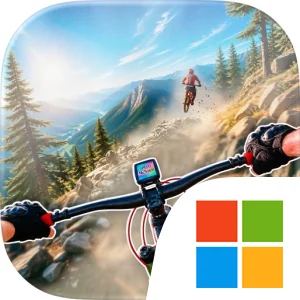
Play BMX Xtreme Go: Cycle Rushnova on Windows PC
Download the official BMX Xtreme Go: Cycle Rushnova Windows PC client and learn how to install and play the game on PC, with controls, system requirements, and practical tips.

Download BMX Xtreme Go: Cycle Rushnova Official Windows PC Client
Official Windows PC client provided by LDPlayer.
About the Official BMX Xtreme Go: Cycle Rushnova PC Client
Developer: Climber Supplies LLC
The central gameplay loop is straightforward but gives each level room for skill-based variation. Start a race, follow the dirt cycle path, clear the obstacles, perform stunt action, and cross the finish line to complete the challenge. Crazy jumps and high ramps are the defining set pieces, while mountain paths, dirt roads, and cycle climb routes create the surfaces and inclines that test your control between them. The description also frames the stages as missions, so progression comes from completing game levels and handling the new ramps, paths, and challenges introduced across the cycle racing journey. There is no equipment collection, vehicle-upgrade system, or combat layer described; the emphasis is on improving your riding through repetition, learning the layout of each track, and mastering the controls well enough to complete every dirt cycle game mission. That makes the game especially suited to short, focused attempts: a difficult section can be replayed until your approach to a sharp turn, jump, or obstacle becomes consistent.
Playing BMX Xtreme Go: Cycle Rushnova on PC can make those control-focused situations easier to read and manage. A larger display gives you more room to judge the shape of a dirt track before you reach a ramp, recognize how a mountain road bends after a jump, and spot the next obstacle while you are still deciding how to position the BMX cycle. That extra visual space is useful when a level strings together a high ramp, a landing area, and a sharp turn, because you can prepare for the next section instead of reacting only after the cycle is airborne. Keyboard-and-mouse input also suits the game’s emphasis on smooth control and repeated corrections. Direct directional input can help you make small adjustments while approaching a crazy jump, keep the cycle aligned on a narrow dirt path, and respond quickly when an obstacle interrupts the ideal racing line. It can also make repeated attempts at cycle climb routes and stunt sections feel more consistent, particularly when you are refining the timing needed to pass a difficult part of a level. For players who enjoy cycle extreme challenges, race rush tracks, and the satisfaction of mastering a demanding course, the PC version presents the game’s BMX action in a format well suited to careful steering, fast reactions, and repeated level practice.
Screenshots
How to Download and Install the Official BMX Xtreme Go: Cycle Rushnova PC Client
- Download and install the official Windows client distributed by LDPlayer.
- Open the app and sign in with your Google Play account.
- Search for BMX Xtreme Go: Cycle Rushnova in the app store.
- Install the game and finish the first-launch download.
- Use the same game login if account sync is available.
Why Play BMX Xtreme Go: Cycle Rushnova on PC?
Menus, maps, resources, and combat details are easier to read on a desktop display.
Keyboard and mouse input makes repeated actions and long sessions more comfortable.
Desktop play avoids phone battery drain during longer farming sessions.
Keep guides, codes, and notes open alongside the game on PC.
Controls and Performance
These three settings solve most common issues when playing on PC.
Map navigation, skill use, and repeated resource actions first.
Lower resolution or graphics quality if crowded scenes lose frames.
Link your account before switching devices so progress can be restored safely.
BMX Xtreme Go: Cycle Rushnova Official PC Client FAQ
Can I play BMX Xtreme Go: Cycle Rushnova on PC?
Yes. Download the official Windows PC client distributed by LDPlayer and play with a larger screen, keyboard, and mouse controls.
Is BMX Xtreme Go: Cycle Rushnova better on PC than mobile?
Playing on PC can make longer sessions, detailed menus, and resource management more comfortable, while mobile is still convenient for quick check-ins.
Will my BMX Xtreme Go: Cycle Rushnova progress sync on PC?
Progress depends on the sign-in options supported by the game. Use the same linked Google, Facebook, Apple, or game account on both devices.
Why does BMX Xtreme Go: Cycle Rushnova lag on PC?
Lag can be caused by limited RAM, demanding graphics settings, outdated client files, or background apps. Lower the graphics settings and keep the PC client up to date.
DOWNLOAD STARTED
Your download is starting
Check your browser Downloads if it does not appear.
Official PC client for Windows, distributed by LDPlayer.
Download again