

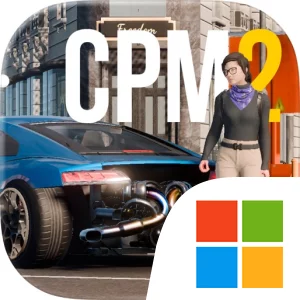
Play Car Parking Multiplayer 2 on Windows PC
Download the official Car Parking Multiplayer 2 Windows PC client and learn how to install and play the game on PC, with controls, system requirements, and practical tips.

Download Car Parking Multiplayer 2 Official Windows PC Client
Official Windows PC client provided by LDPlayer.
About the Official Car Parking Multiplayer 2 PC Client
Developer: Aidana Kengbeiil
The main loop revolves around choosing a car, tuning it for the activity you want to pursue, and then taking it into the open world or into a competitive event. The store page presents a large garage, advertising 200+ cars while specifically highlighting 160 cars with real interiors, so collecting and comparing vehicles is a major part of the experience. Car tunings, adjustable suspension, car liveries, and the Dyno Run give you several ways to focus on how a vehicle is presented and prepared. The fuel system also makes gas stations relevant to ordinary driving, while the mechanic transmission with clutch adds a more involved approach to controlling the car. That detail matters when you are trying to manage starts, turns, and careful maneuvering instead of treating every vehicle as an interchangeable arcade machine.
Multiplayer gives the open world its social center. You can compete against real players in multiplayer racing, exchange cars with other players, maintain a friend list, and use voice chat while moving through the environment. The range of available activities also changes the purpose of your vehicle and your route. Drag Racing mode emphasizes short, direct competition; Taxi mode gives driving a service-oriented objective; Police mode and Drone mode offer different ways to engage with the world; and free walking lets you leave the car and navigate the environment as a character. Character customization, animations, and emojis add another layer to player expression, while car liveries let you make a vehicle visually distinct before showing it to others. Because the description emphasizes thousands of real players every day, the game is designed for shared activity rather than only solo time, with vehicle exchanges, racing, and communication all supporting a persistent social routine.
Playing Car Parking Multiplayer 2 on PC can make the practical side of that routine easier to manage. A larger display gives you more room to read the surrounding environment while navigating the massive map, identify buildings and service locations, and judge the position of your car during the 82 parking and driving challenges. It is also useful when comparing the appearance of vehicles with real interiors, checking tuning and adjustable-suspension choices, or lining up a car livery so details are easier to inspect. Keyboard-and-mouse input can provide direct control when making repeated steering and throttle adjustments, especially during precise parking, manual transmission work with the clutch, or a drag-racing launch. It also suits switching between driving, free walking, and social actions such as selecting a friend, responding through voice chat, or preparing for a car exchange. With its combination of exploration, vehicle collection, customization, resource awareness through fuel, and multiplayer competition, the game is best understood as a flexible driving world where the goal is shaped by the mode, the car, and the company you choose.
Screenshots
How to Download and Install the Official Car Parking Multiplayer 2 PC Client
- Download and install the official Windows client distributed by LDPlayer.
- Open the app and sign in with your Google Play account.
- Search for Car Parking Multiplayer 2 in the app store.
- Install the game and finish the first-launch download.
- Use the same game login if account sync is available.
Why Play Car Parking Multiplayer 2 on PC?
Menus, maps, resources, and combat details are easier to read on a desktop display.
Keyboard and mouse input makes repeated actions and long sessions more comfortable.
Desktop play avoids phone battery drain during longer farming sessions.
Keep guides, codes, and notes open alongside the game on PC.
Controls and Performance
These three settings solve most common issues when playing on PC.
Map navigation, skill use, and repeated resource actions first.
Lower resolution or graphics quality if crowded scenes lose frames.
Link your account before switching devices so progress can be restored safely.
Car Parking Multiplayer 2 Official PC Client FAQ
Can I play Car Parking Multiplayer 2 on PC?
Yes. Download the official Windows PC client distributed by LDPlayer and play with a larger screen, keyboard, and mouse controls.
Is Car Parking Multiplayer 2 better on PC than mobile?
Playing on PC can make longer sessions, detailed menus, and resource management more comfortable, while mobile is still convenient for quick check-ins.
Will my Car Parking Multiplayer 2 progress sync on PC?
Progress depends on the sign-in options supported by the game. Use the same linked Google, Facebook, Apple, or game account on both devices.
Why does Car Parking Multiplayer 2 lag on PC?
Lag can be caused by limited RAM, demanding graphics settings, outdated client files, or background apps. Lower the graphics settings and keep the PC client up to date.
DOWNLOAD STARTED
Your download is starting
Check your browser Downloads if it does not appear.
Official PC client for Windows, distributed by LDPlayer.
Download again