

Play Count Masters: Crowd Runner 3D on Windows PC
Download the official Count Masters: Crowd Runner 3D Windows PC client and learn how to install and play the game on PC, with controls, system requirements, and practical tips.

Download Count Masters: Crowd Runner 3D Official Windows PC Client
Official Windows PC client provided by LDPlayer.
About the Official Count Masters: Crowd Runner 3D PC Client
Developer: Freeplay LLC
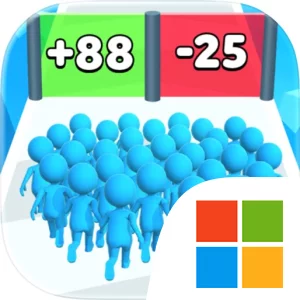
The gameplay loop combines quick movement with crowd growth, collection, and light strategic planning. You begin alone, then work to bring stickman warriors together before the next clash. A larger group gives the race a stronger sense of buildup, while the gates make each decision part of the run rather than a purely reflex-driven sequence. Obstacles interrupt your progress and force you to manage the crowd’s path, while gang fights and stickman battles turn that accumulated group into the focus of the action. Coins collected along the way support progression, allowing you to upgrade your levels and improve your future attempts. That structure gives Count Masters a straightforward rhythm: choose a gate, build the crowd, break through obstacles, fight the opposing force, collect coins, and continue toward the castle. The final battle against the King-stickman provides a clear endpoint for the city takeover, giving the run a specific objective beyond simply reaching the end of a course.
Playing Count Masters: Crowd Runner 3D on a larger PC display can make the game’s visual decisions easier to read in the moments that matter. When multiple gates appear ahead, extra screen space can help you distinguish the available choices and commit to a route without losing sight of your growing crowd. A larger view is also useful when obstacles and opposing stickman warriors occupy the same stretch of the city: you can better track the group’s position, judge when to direct it through an opening, and keep the action readable during a clash. Keyboard-and-mouse input can add precision to those repeated steering decisions, particularly when you are moving from a gate toward an obstacle or preparing the crowd for the next opposing group. Mouse control can make short directional adjustments feel deliberate, while keyboard input can provide a consistent way to handle ongoing movement if the PC version assigns those actions to keys. That combination suits a game whose strategy is expressed through frequent route choices and timely corrections rather than complicated menus. The result is a focused PC experience centered on growing a stickman crowd, collecting coins, upgrading levels, and turning a lone runner into the force that can defeat the King-stickman and claim the castle.
Screenshots
How to Download and Install the Official Count Masters: Crowd Runner 3D PC Client
- Download and install the official Windows client distributed by LDPlayer.
- Open the app and sign in with your Google Play account.
- Search for Count Masters: Crowd Runner 3D in the app store.
- Install the game and finish the first-launch download.
- Use the same game login if account sync is available.
Why Play Count Masters: Crowd Runner 3D on PC?
Menus, maps, resources, and combat details are easier to read on a desktop display.
Keyboard and mouse input makes repeated actions and long sessions more comfortable.
Desktop play avoids phone battery drain during longer farming sessions.
Keep guides, codes, and notes open alongside the game on PC.
Controls and Performance
These three settings solve most common issues when playing on PC.
Map navigation, skill use, and repeated resource actions first.
Lower resolution or graphics quality if crowded scenes lose frames.
Link your account before switching devices so progress can be restored safely.
Count Masters: Crowd Runner 3D Official PC Client FAQ
Can I play Count Masters: Crowd Runner 3D on PC?
Yes. Download the official Windows PC client distributed by LDPlayer and play with a larger screen, keyboard, and mouse controls.
Is Count Masters: Crowd Runner 3D better on PC than mobile?
Playing on PC can make longer sessions, detailed menus, and resource management more comfortable, while mobile is still convenient for quick check-ins.
Will my Count Masters: Crowd Runner 3D progress sync on PC?
Progress depends on the sign-in options supported by the game. Use the same linked Google, Facebook, Apple, or game account on both devices.
Why does Count Masters: Crowd Runner 3D lag on PC?
Lag can be caused by limited RAM, demanding graphics settings, outdated client files, or background apps. Lower the graphics settings and keep the PC client up to date.
DOWNLOAD STARTED
Your download is starting
Check your browser Downloads if it does not appear.
Official PC client for Windows, distributed by LDPlayer.
Download again