

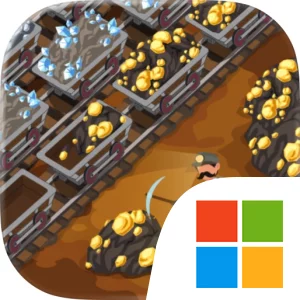
Play Deep Corp: Mining Strategy on Windows PC
Download the official Deep Corp: Mining Strategy Windows PC client and learn how to install and play the game on PC, with controls, system requirements, and practical tips.

Download Deep Corp: Mining Strategy Official Windows PC Client
Official Windows PC client provided by LDPlayer.
About the Official Deep Corp: Mining Strategy PC Client
Developer: AI Games FZ
The core loop begins underground. You conduct geological surveys, explore mining areas, and design tunnel layouts around the deposits you discover. Hiring miners and assigning workers is only one part of the problem, because resources are not extracted automatically. Warehouses must be placed carefully, and mine cart traffic must be organized so that underground bottlenecks do not slow the entire operation. Once materials reach the surface, the management challenge expands into logistics. You connect mines, factories, warehouses, and towns with transport routes, buy and upgrade carts, and decide how resources should move through the network. A route that looks efficient on paper can still become a weak link if it leaves a factory short of inputs or prevents essential goods from reaching a town on time.
Production chains give your mining company another layer of planning. You can open new factories, unlock recipes, and combine materials from different production sites to manufacture increasingly complex goods. This means extraction, storage, manufacturing, and delivery need to be considered as one connected system rather than as separate buildings or tasks. As governor, you also respond to city orders and deliver the goods needed to restore devastated frontier towns. Successful deliveries earn money, new workers, and access to further expansion opportunities, while missed key orders reduce your approval rating. The result is a management game in which commercial efficiency and public responsibility constantly overlap: expanding the company can improve the region, but neglecting its needs can undermine your position.
On PC, the larger display is especially useful when you are studying underground areas, comparing the locations of deposits and warehouses, or tracing mine cart traffic through a growing tunnel network. More screen space also makes it easier to follow transport routes between mines, factories, and towns and to spot where a supply chain is being interrupted. Keyboard-and-mouse input suits the game’s detailed planning tasks, letting you place facilities, assign miners, organize routes, and handle repeated management actions with precise cursor control. It also supports the broader decision-making involved in balancing factory recipes, cart upgrades, worker assignments, and city orders. Whether you are preventing an underground traffic jam, coordinating several production sites, or deciding which frontier request should receive limited supplies first, Deep Corp: Mining Strategy on PC is built around turning a complicated Wild West economy into a system that can reliably function.
Screenshots
How to Download and Install the Official Deep Corp: Mining Strategy PC Client
- Download and install the official Windows client distributed by LDPlayer.
- Open the app and sign in with your Google Play account.
- Search for Deep Corp: Mining Strategy in the app store.
- Install the game and finish the first-launch download.
- Use the same game login if account sync is available.
Why Play Deep Corp: Mining Strategy on PC?
Menus, maps, resources, and combat details are easier to read on a desktop display.
Keyboard and mouse input makes repeated actions and long sessions more comfortable.
Desktop play avoids phone battery drain during longer farming sessions.
Keep guides, codes, and notes open alongside the game on PC.
Controls and Performance
These three settings solve most common issues when playing on PC.
Map navigation, skill use, and repeated resource actions first.
Lower resolution or graphics quality if crowded scenes lose frames.
Link your account before switching devices so progress can be restored safely.
Deep Corp: Mining Strategy Official PC Client FAQ
Can I play Deep Corp: Mining Strategy on PC?
Yes. Download the official Windows PC client distributed by LDPlayer and play with a larger screen, keyboard, and mouse controls.
Is Deep Corp: Mining Strategy better on PC than mobile?
Playing on PC can make longer sessions, detailed menus, and resource management more comfortable, while mobile is still convenient for quick check-ins.
Will my Deep Corp: Mining Strategy progress sync on PC?
Progress depends on the sign-in options supported by the game. Use the same linked Google, Facebook, Apple, or game account on both devices.
Why does Deep Corp: Mining Strategy lag on PC?
Lag can be caused by limited RAM, demanding graphics settings, outdated client files, or background apps. Lower the graphics settings and keep the PC client up to date.
DOWNLOAD STARTED
Your download is starting
Check your browser Downloads if it does not appear.
Official PC client for Windows, distributed by LDPlayer.
Download again