

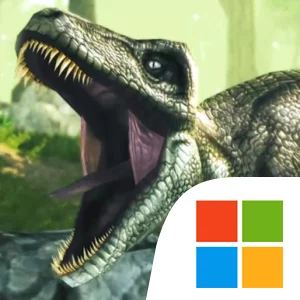
Play Dino Tamers on Windows PC
Download the official Dino Tamers Windows PC client and learn how to install and play the game on PC, with controls, system requirements, and practical tips.

Download Dino Tamers Official Windows PC Client
Official Windows PC client provided by LDPlayer.
About the Official Dino Tamers PC Client
Developer: AppForge Inc.
Once subdued, your captures transform into loyal mounts that can be fitted with a saddle to traverse Arcadia's dangerous biomes with newfound speed and dominance. Riding atop a towering T-Rex not only reshapes how you explore the wilderness, scattering smaller wildlife in panic, but also opens the door to deeper progression and interactive storytelling. Dino Tamers integrates RPG-style elements that allow tamers to battle their way through demanding missions and enhance their dinosaur's combat capabilities, leveling up skills to take on increasingly dangerous wilderness threats. Evolution plays a critical role in the creature-collection loop: players study a mysterious ember to rewrite their dinosaur's DNA, guiding specimens into extraordinary evolutionary tiers that bestow radical traits, such as granting massive wings to a Spino to take to the skies. Alongside individual monster growth, the world encourages cooperative multiplayer outings where online friends can ride side-by-side, coordinate taming expeditions, craft vital survival equipment, and unravel the overarching narrative mysteries that define Arcadia.
Experiencing Dino Tamers on PC offers substantial practical advantages that elevate both exploration and tactical creature handling. A larger desktop monitor provides an expansive, uncluttered view of Arcadia's lush wilderness, which proves immediately beneficial during stealth sequences. Instead of having hands obscure the screen, tamers can cleanly monitor predator patrol routes from afar, read subtle movements in the distant long grass, and gauge line of sight behind trees before committing to a risky approach on a high-tier carnivore. Furthermore, the precision of keyboard-and-mouse controls transforms creature navigation and mission combat. Guiding large mounts like the Trex through narrow environments or steering a flying Spino across long journeys is far more accurate using direct directional keys alongside fluid mouse-driven camera sweeps. During fast-paced battle missions, executing dinosaur skills and keeping aggressive opponents centered in your field of view becomes seamless, ensuring that every hunt, tame, and evolutionary breakthrough is handled with responsive, dependable control.
Screenshots
How to Download and Install the Official Dino Tamers PC Client
- Download and install the official Windows client distributed by LDPlayer.
- Open the app and sign in with your Google Play account.
- Search for Dino Tamers in the app store.
- Install the game and finish the first-launch download.
- Use the same game login if account sync is available.
Why Play Dino Tamers on PC?
Menus, maps, resources, and combat details are easier to read on a desktop display.
Keyboard and mouse input makes repeated actions and long sessions more comfortable.
Desktop play avoids phone battery drain during longer farming sessions.
Keep guides, codes, and notes open alongside the game on PC.
Controls and Performance
These three settings solve most common issues when playing on PC.
Map navigation, skill use, and repeated resource actions first.
Lower resolution or graphics quality if crowded scenes lose frames.
Link your account before switching devices so progress can be restored safely.
Dino Tamers Official PC Client FAQ
Can I play Dino Tamers on PC?
Yes. Download the official Windows PC client distributed by LDPlayer and play with a larger screen, keyboard, and mouse controls.
Is Dino Tamers better on PC than mobile?
Playing on PC can make longer sessions, detailed menus, and resource management more comfortable, while mobile is still convenient for quick check-ins.
Will my Dino Tamers progress sync on PC?
Progress depends on the sign-in options supported by the game. Use the same linked Google, Facebook, Apple, or game account on both devices.
Why does Dino Tamers lag on PC?
Lag can be caused by limited RAM, demanding graphics settings, outdated client files, or background apps. Lower the graphics settings and keep the PC client up to date.
DOWNLOAD STARTED
Your download is starting
Check your browser Downloads if it does not appear.
Official PC client for Windows, distributed by LDPlayer.
Download again