

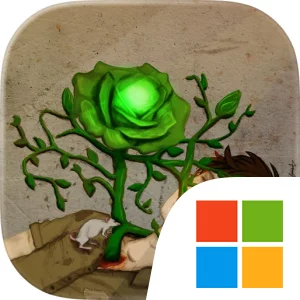
Play Emerald Flower on Windows PC
Download the official Emerald Flower Windows PC client and learn how to install and play the game on PC, with controls, system requirements, and practical tips.

Download Emerald Flower Official Windows PC Client
Official Windows PC client provided by LDPlayer.
About the Official Emerald Flower PC Client
Developer: Muhammed Enes Uge
The central gameplay loop combines scavenging, crafting, inventory management, cautious fighting, and social uncertainty. Materials gathered from the environment can be turned into useful items through the craft and inventory system, making each search for resources part of a broader decision about what to carry, what to create, and how to prepare for the next danger. Combat is built around observation rather than simply mashing buttons: you are expected to identify an enemy’s weak point and strike there, while also remaining alert to the possibility that someone you consider a friend is actually an enemy. That design makes each confrontation a test of timing and judgment, not just a race to deal damage. The Emerald Flower’s infection process adds another layer of tension to the setting, particularly because emotional instability, sudden fear or happiness, can activate the parasite before it has fully spread through a host. Even when the game is not directly presenting that archive material as a combat rule, the details reinforce the world’s harsh logic: food, bodies, corpses, and proximity can all become part of a biological cycle that is difficult to escape. Playing Emerald Flower on PC gives these systems more room to work. A larger display makes it easier to inspect the pixel-art environment for interactable materials, follow visual clues around a scene, and distinguish characters during tense encounters. Keyboard-and-mouse input can also make repeated inventory and crafting actions more manageable, letting you move between collected materials and useful items with greater precision while keeping your attention on the next threat. When comparing what to keep, deciding how to prepare, or lining up a strike against a weak point, the additional screen space and precise input help reduce friction without changing the game’s deliberately intimate, brutal tone.
Screenshots
How to Download and Install the Official Emerald Flower PC Client
- Download and install the official Windows client distributed by LDPlayer.
- Open the app and sign in with your Google Play account.
- Search for Emerald Flower in the app store.
- Install the game and finish the first-launch download.
- Use the same game login if account sync is available.
Why Play Emerald Flower on PC?
Menus, maps, resources, and combat details are easier to read on a desktop display.
Keyboard and mouse input makes repeated actions and long sessions more comfortable.
Desktop play avoids phone battery drain during longer farming sessions.
Keep guides, codes, and notes open alongside the game on PC.
Controls and Performance
These three settings solve most common issues when playing on PC.
Map navigation, skill use, and repeated resource actions first.
Lower resolution or graphics quality if crowded scenes lose frames.
Link your account before switching devices so progress can be restored safely.
Emerald Flower Official PC Client FAQ
Can I play Emerald Flower on PC?
Yes. Download the official Windows PC client distributed by LDPlayer and play with a larger screen, keyboard, and mouse controls.
Is Emerald Flower better on PC than mobile?
Playing on PC can make longer sessions, detailed menus, and resource management more comfortable, while mobile is still convenient for quick check-ins.
Will my Emerald Flower progress sync on PC?
Progress depends on the sign-in options supported by the game. Use the same linked Google, Facebook, Apple, or game account on both devices.
Why does Emerald Flower lag on PC?
Lag can be caused by limited RAM, demanding graphics settings, outdated client files, or background apps. Lower the graphics settings and keep the PC client up to date.
DOWNLOAD STARTED
Your download is starting
Check your browser Downloads if it does not appear.
Official PC client for Windows, distributed by LDPlayer.
Download again