

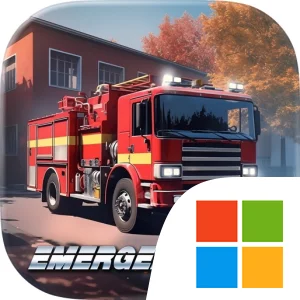
Play EMERGENCY HQ: Firefighter Game on Windows PC
Download the official EMERGENCY HQ: Firefighter Game Windows PC client and learn how to install and play the game on PC, with controls, system requirements, and practical tips.

Download EMERGENCY HQ: Firefighter Game Official Windows PC Client
Official Windows PC client provided by LDPlayer.
About the Official EMERGENCY HQ: Firefighter Game PC Client
Developer: Sixteen Tons Entertainment GmbH
The broader loop connects individual rescue missions with the development of your emergency headquarters. After handling incidents, you can expand the fire station, equip new vehicles, and train your rescue teams, increasing their efficiency and preparing them for more demanding simulations. That progression gives the game a management layer alongside its real-time emergency response: building a stronger headquarters improves the tools and personnel available for future calls, while your decisions in each mission test how effectively you can coordinate them. The variety of services also creates room for planning. You may need to think about which teams should respond first, how to combine firefighter and police operations, and how to keep medical or technical rescue support available while a wider disaster unfolds. On PC, a larger display makes it easier to read the overall emergency scene, track different response groups, and compare the positions and roles of vehicles before committing to a plan. Keyboard-and-mouse controls are likewise useful when repeatedly selecting units, issuing commands, and managing several parts of a complex mission without losing sight of the larger situation.
EMERGENCY HQ also extends its command structure into multiplayer competition. You can create a rescue alliance with other firefighter and police fans, then compete in the league against other players while working to prove your strategic skill. The alliance and leaderboard systems give the headquarters-building campaign a social and competitive purpose: improving your team is not only about completing the next rescue, but also about optimizing your overall strategy and becoming the best commander in your city. Whether you are responding to a civilian trapped in a danger zone, coordinating a fire response, or preparing for a large-scale disaster, the game asks you to balance immediate rescue priorities with longer-term development. Playing EMERGENCY HQ: Firefighter Game on PC suits that command-focused design, giving you more room to survey incidents, organize firefighter, police, paramedic, and technical rescue teams, and manage the repeated actions involved in keeping an entire emergency operation under control.
Screenshots
How to Download and Install the Official EMERGENCY HQ: Firefighter Game PC Client
- Download and install the official Windows client distributed by LDPlayer.
- Open the app and sign in with your Google Play account.
- Search for EMERGENCY HQ: Firefighter Game in the app store.
- Install the game and finish the first-launch download.
- Use the same game login if account sync is available.
Why Play EMERGENCY HQ: Firefighter Game on PC?
Menus, maps, resources, and combat details are easier to read on a desktop display.
Keyboard and mouse input makes repeated actions and long sessions more comfortable.
Desktop play avoids phone battery drain during longer farming sessions.
Keep guides, codes, and notes open alongside the game on PC.
Controls and Performance
These three settings solve most common issues when playing on PC.
Map navigation, skill use, and repeated resource actions first.
Lower resolution or graphics quality if crowded scenes lose frames.
Link your account before switching devices so progress can be restored safely.
EMERGENCY HQ: Firefighter Game Official PC Client FAQ
Can I play EMERGENCY HQ: Firefighter Game on PC?
Yes. Download the official Windows PC client distributed by LDPlayer and play with a larger screen, keyboard, and mouse controls.
Is EMERGENCY HQ: Firefighter Game better on PC than mobile?
Playing on PC can make longer sessions, detailed menus, and resource management more comfortable, while mobile is still convenient for quick check-ins.
Will my EMERGENCY HQ: Firefighter Game progress sync on PC?
Progress depends on the sign-in options supported by the game. Use the same linked Google, Facebook, Apple, or game account on both devices.
Why does EMERGENCY HQ: Firefighter Game lag on PC?
Lag can be caused by limited RAM, demanding graphics settings, outdated client files, or background apps. Lower the graphics settings and keep the PC client up to date.
DOWNLOAD STARTED
Your download is starting
Check your browser Downloads if it does not appear.
Official PC client for Windows, distributed by LDPlayer.
Download again