

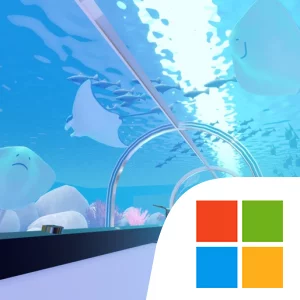
Play Escape Game Fantastic Aquarium on Windows PC
Download the official Escape Game Fantastic Aquarium Windows PC client and learn how to install and play the game on PC, with controls, system requirements, and practical tips.

Download Escape Game Fantastic Aquarium Official Windows PC Client
Official Windows PC client provided by LDPlayer.
About the Official Escape Game Fantastic Aquarium PC Client
Developer: Tatsuji Kuroyanagi
The main gameplay loop is built around testing ideas. Items are no longer limited to being used directly on environmental gimmicks: under the New Item System, one item can also be used on another item. That change creates more possible relationships to investigate, so a seemingly ordinary object may become useful only after it has been combined with something else. The added feature for changing an item’s viewpoint is equally important. Inspecting an object from another angle can reveal information that is easy to miss during a quick search, making careful examination a core part of progression. When a puzzle leaves you at a standstill, the Hint feature provides a clue, while larger hints can be viewed after watching video advertisements. These hints are designed to help you recover your line of reasoning without removing the need to understand how the puzzle works.
The In Game Camera gives you another practical tool for managing that process. You can capture and store up to seven images, then confirm those images from within the game. That makes it easier to preserve visual information, compare a remembered clue with the current puzzle, or keep several important details available while you investigate another part of the confined space. On a larger PC display, small visual distinctions in the environment and item-view screens have more room to remain readable, while your stored camera images can be checked without relying on memory alone. Keyboard-and-mouse input also suits the repeated inspection involved here: the mouse can precisely select an environmental detail, apply one item to another, or change an item’s viewpoint, while keyboard input can help move through available interface choices and confirm selections efficiently when navigating between clues, items, and hints. That is particularly useful when you are testing several possible combinations or revisiting a puzzle after reviewing a captured image.
Escape Game Fantastic Aquarium is therefore best approached as a methodical investigation rather than a game of reflexes. Pay attention to what the cats and the Cheshire Cat’s strange situation suggest, record the clues that seem significant, and be willing to reconsider an item after viewing it from another side or combining it with something else. The seven-image camera limit encourages selective note-taking instead of unlimited storage, and the hint system gives you a way forward when a connection remains elusive. Ads are part of the game, including the video ads used to access bigger hints, so they are relevant to how assistance is delivered. With its confined setting, cat-led premise, item-on-item interactions, viewpoint changes, and image-based clue management, the game offers a focused escape challenge that rewards patience and close examination.
Screenshots
How to Download and Install the Official Escape Game Fantastic Aquarium PC Client
- Download and install the official Windows client distributed by LDPlayer.
- Open the app and sign in with your Google Play account.
- Search for Escape Game Fantastic Aquarium in the app store.
- Install the game and finish the first-launch download.
- Use the same game login if account sync is available.
Why Play Escape Game Fantastic Aquarium on PC?
Menus, maps, resources, and combat details are easier to read on a desktop display.
Keyboard and mouse input makes repeated actions and long sessions more comfortable.
Desktop play avoids phone battery drain during longer farming sessions.
Keep guides, codes, and notes open alongside the game on PC.
Controls and Performance
These three settings solve most common issues when playing on PC.
Map navigation, skill use, and repeated resource actions first.
Lower resolution or graphics quality if crowded scenes lose frames.
Link your account before switching devices so progress can be restored safely.
Escape Game Fantastic Aquarium Official PC Client FAQ
Can I play Escape Game Fantastic Aquarium on PC?
Yes. Download the official Windows PC client distributed by LDPlayer and play with a larger screen, keyboard, and mouse controls.
Is Escape Game Fantastic Aquarium better on PC than mobile?
Playing on PC can make longer sessions, detailed menus, and resource management more comfortable, while mobile is still convenient for quick check-ins.
Will my Escape Game Fantastic Aquarium progress sync on PC?
Progress depends on the sign-in options supported by the game. Use the same linked Google, Facebook, Apple, or game account on both devices.
Why does Escape Game Fantastic Aquarium lag on PC?
Lag can be caused by limited RAM, demanding graphics settings, outdated client files, or background apps. Lower the graphics settings and keep the PC client up to date.
DOWNLOAD STARTED
Your download is starting
Check your browser Downloads if it does not appear.
Official PC client for Windows, distributed by LDPlayer.
Download again