

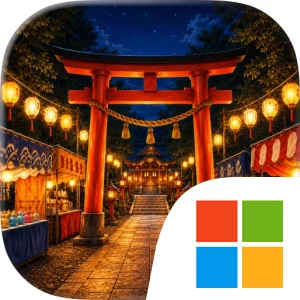
Play Escape Game: Summer Shrine on Windows PC
Download the official Escape Game: Summer Shrine Windows PC client and learn how to install and play the game on PC, with controls, system requirements, and practical tips.

Download Escape Game: Summer Shrine Official Windows PC Client
Official Windows PC client provided by LDPlayer.
About the Official Escape Game: Summer Shrine PC Client
Developer: Nishiura Ryohei
The central loop is straightforward but layered. Explore each scene using the simple tap-style controls, look for clues, collect items, and work out where those items belong. You will need to use and combine what you discover while examining visual challenges built around symbols, patterns, and placement. A clue found in one part of the shrine can give meaning to a mechanism elsewhere, so progress comes from remembering what you have seen and testing sensible connections rather than simply searching for a single obvious key. The five fragments provide an additional collection objective: finding them all unlocks another ending, making careful investigation important even after you understand how to open the exit. The game therefore supports two kinds of progress—solving the shrine’s immediate puzzles and revisiting its details to complete the fragment collection and see both endings. If a particular symbol sequence or placement puzzle stops your progress, step-by-step hints and answers are available, while auto-save lets you continue without losing your place. Music, sound effects, and brightness can also be adjusted individually, which is useful for a quiet puzzle session or for making details easier to read against the dark summer-night setting.
The PC format suits the game’s close inspection and deliberate pace. A larger display gives the shrine scenes more room, making it easier to study symbols, compare patterns, notice item placement, and follow visual relationships without crowding the image. That matters when a solution depends on details spread across a rain-slick path, a lantern-lit area, or another connected part of the grounds. Mouse input also translates naturally to the original tap-oriented design: it provides precise selection when examining a clue, choosing an item, combining discoveries, or interacting with a sealed mechanism. A keyboard-and-mouse setup is particularly comfortable when you are repeatedly moving between the scene, item interactions, hint steps, and the game’s settings; the mouse handles the focused puzzle work while the keyboard keeps a stable desktop control setup for longer sessions. It does not turn Summer Shrine into an action game, and there is no combat system to manage. Instead, the PC presentation supports the actual challenge: reading the scene carefully, making connections between visual evidence and discovered items, deciding when to use a hint, and checking every corner for the five fragments before time—and the fireworks—run out. In-game text is available in Japanese only, so Japanese-language readers will be best positioned to follow the story and any written clue information.
Screenshots
How to Download and Install the Official Escape Game: Summer Shrine PC Client
- Download and install the official Windows client distributed by LDPlayer.
- Open the app and sign in with your Google Play account.
- Search for Escape Game: Summer Shrine in the app store.
- Install the game and finish the first-launch download.
- Use the same game login if account sync is available.
Why Play Escape Game: Summer Shrine on PC?
Menus, maps, resources, and combat details are easier to read on a desktop display.
Keyboard and mouse input makes repeated actions and long sessions more comfortable.
Desktop play avoids phone battery drain during longer farming sessions.
Keep guides, codes, and notes open alongside the game on PC.
Controls and Performance
These three settings solve most common issues when playing on PC.
Map navigation, skill use, and repeated resource actions first.
Lower resolution or graphics quality if crowded scenes lose frames.
Link your account before switching devices so progress can be restored safely.
Escape Game: Summer Shrine Official PC Client FAQ
Can I play Escape Game: Summer Shrine on PC?
Yes. Download the official Windows PC client distributed by LDPlayer and play with a larger screen, keyboard, and mouse controls.
Is Escape Game: Summer Shrine better on PC than mobile?
Playing on PC can make longer sessions, detailed menus, and resource management more comfortable, while mobile is still convenient for quick check-ins.
Will my Escape Game: Summer Shrine progress sync on PC?
Progress depends on the sign-in options supported by the game. Use the same linked Google, Facebook, Apple, or game account on both devices.
Why does Escape Game: Summer Shrine lag on PC?
Lag can be caused by limited RAM, demanding graphics settings, outdated client files, or background apps. Lower the graphics settings and keep the PC client up to date.
DOWNLOAD STARTED
Your download is starting
Check your browser Downloads if it does not appear.
Official PC client for Windows, distributed by LDPlayer.
Download again