

Play Flop House on Windows PC
Download the official Flop House Windows PC client and learn how to install and play the game on PC, with controls, system requirements, and practical tips.

Download Flop House Official Windows PC Client
Official Windows PC client provided by LDPlayer.
About the Official Flop House PC Client
Developer: Crazy Labs
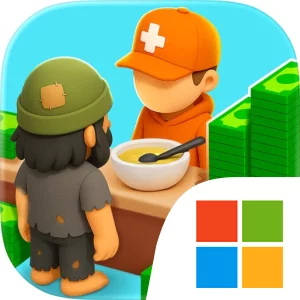
The core loop is straightforward but layered. Start by providing the basics, then improve the shelter step by step so it can handle greater demand. Adding a kitchen gives you a more useful place to prepare and hand out meals, while showers and other essentials make the shelter better equipped for the people staying there. As the facility improves, more folks show up, which creates new management pressure and makes each upgrade part of a larger plan rather than a simple decoration. You will need to manage resources, hire staff, and unlock upgrades as you level up. The challenge comes from deciding how to grow without neglecting the everyday work of cooking, cleaning, and caring. Flop House presents those responsibilities through an idle-management structure, so the appeal is in establishing a dependable routine, making smart improvements, and watching a small shelter develop into a larger operation.
Staffing is an important part of that routine. One person cannot keep up with every meal, cleanup task, and care-related responsibility, so building a team becomes essential to keeping the Flop House running. Hiring staff is more than a one-time upgrade: it supports the shelter’s ability to function as it expands and gives your resource decisions a practical purpose. The game’s progression is therefore tied to both physical development and operational capacity. You are improving the building with kitchens, showers, and other essentials while also improving the people and systems that keep those facilities useful. That combination gives the game its blend of shelter simulator, idle tycoon, and classic casual simulation. The tone is intentionally chaotic and comedic, but the gameplay remains focused on balancing growth with the basic services your shelter is expected to provide.
Playing Flop House on PC can make those management decisions easier to read and repeat. A larger display gives you more room to examine the shelter layout, identify which facilities need attention, and compare available upgrades without having to work through a cramped view. It is also useful when you are tracking several parts of the operation at once: the condition of your basic facilities, the resources available for improvements, the staff you have hired, and the next upgrade needed to support a growing number of people. Keyboard-and-mouse input suits the game’s repeated management actions as well. A mouse can make it quicker to select a kitchen, shower, or other essential, check its current role, and move between upgrade or staffing decisions, while keyboard shortcuts—where supported by the PC version—can make routine navigation and repeated actions feel more direct. That matters in an idle game, where progress comes from making many small adjustments over time.
Rather than centering on combat, exploration, or collecting, Flop House is about building an efficient shelter and sustaining its daily rhythm. The satisfaction comes from seeing a barely functional starting point become a larger, better-equipped home away from home, then using resources and staff intelligently to support the next stage of growth. If you enjoy simulation games with clear upgrades, light strategy, and an ongoing management loop, Flop House offers a focused objective: build your shelter your way, keep its services moving, and prove that careful decisions can turn a flop into a full-on success story.
Screenshots
How to Download and Install the Official Flop House PC Client
- Download and install the official Windows client distributed by LDPlayer.
- Open the app and sign in with your Google Play account.
- Search for Flop House in the app store.
- Install the game and finish the first-launch download.
- Use the same game login if account sync is available.
Why Play Flop House on PC?
Menus, maps, resources, and combat details are easier to read on a desktop display.
Keyboard and mouse input makes repeated actions and long sessions more comfortable.
Desktop play avoids phone battery drain during longer farming sessions.
Keep guides, codes, and notes open alongside the game on PC.
Controls and Performance
These three settings solve most common issues when playing on PC.
Map navigation, skill use, and repeated resource actions first.
Lower resolution or graphics quality if crowded scenes lose frames.
Link your account before switching devices so progress can be restored safely.
Flop House Official PC Client FAQ
Can I play Flop House on PC?
Yes. Download the official Windows PC client distributed by LDPlayer and play with a larger screen, keyboard, and mouse controls.
Is Flop House better on PC than mobile?
Playing on PC can make longer sessions, detailed menus, and resource management more comfortable, while mobile is still convenient for quick check-ins.
Will my Flop House progress sync on PC?
Progress depends on the sign-in options supported by the game. Use the same linked Google, Facebook, Apple, or game account on both devices.
Why does Flop House lag on PC?
Lag can be caused by limited RAM, demanding graphics settings, outdated client files, or background apps. Lower the graphics settings and keep the PC client up to date.
DOWNLOAD STARTED
Your download is starting
Check your browser Downloads if it does not appear.
Official PC client for Windows, distributed by LDPlayer.
Download again