
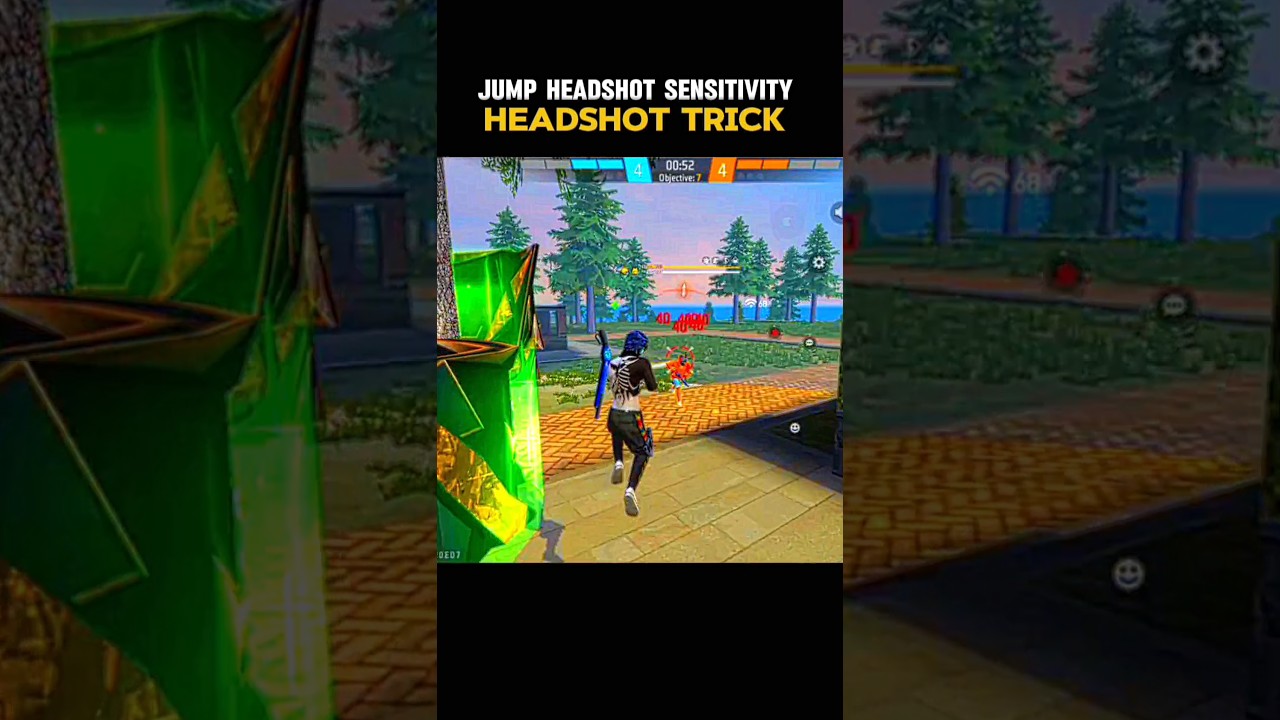
To consistently land jump headshots (also called airshots) in Free Fire, you must time an upward fire-button drag to coincide with the apex of your jump. Jumping raises your crosshair and breaks torso-level aim assist, creating an open line to your opponent's head hitbox.
Airshot Jump Physics and Drag Timing
Free Fire applies different vertical drag behavior depending on which stage of a jump you fire:
- Ascending: Firing while your character is still rising causes the crosshair to overshoot, sending shots above the target.
- The Apex: Firing at the brief pause at the peak of your jump provides stable forward momentum and controllable bullet spread. This is the optimal window to trigger the shot.
- Descending: Firing on the way down pulls the crosshair back toward the enemy's chest as gravity cancels out your upward drag.
High-damage burst weapons gain the most value from this technique. Single-shot weapons like the M1887 and M1014 shotguns, or precision firearms like the Desert Eagle and Woodpecker, can eliminate an opponent in a single hit before they can place a Gloo Wall. Avoid automatic weapon spray while airborne, as rapid continuous fire increases weapon bloom and ruins shot accuracy.
Recommended Sensitivity and HUD Configuration
Breaking the default torso aim-assist lock while airborne requires elevated sensitivity settings and a clear vertical runway on your screen.
| Setting | Recommended Range | Function |
|---|---|---|
| General | 95–100 | Governs swipe responsiveness and camera turn speed mid-jump. |
| Red Dot | 90–100 | Lowers drag resistance for default hip-fire crosshairs. |
| 2x Scope | 85–95 | Preserves aim-drag control during aggressive mid-range jumps. |
| 4x Scope | 75–85 | Keeps crosshairs stable at longer ranges without over-flicking. |
| Free Look | 70–80 | Lets you scan surroundings while sprinting into an attack. |
Configure your Custom HUD to support rapid vertical swipes:
- Right Fire Button Size: Set the button size between 45% and 55%. A button larger than 55% cuts off your thumb's upward travel room before the drag is complete, while a button smaller than 45% causes missed inputs.
- Button Placement: Position the Right Fire Button in the lower-right third of the screen to give your thumb ample upward space to flick toward the top bezel.
- Jump Button Mapping: Map the jump button to an independent finger using a three-finger or four-finger claw layout. Separating jump and fire inputs prevents input buffering delays between the jump and the drag flick.
How to Execute a Jump Headshot
Follow these four steps to coordinate your movement and fire input:
- Approach at Head Level: Move toward your opponent with your crosshair pre-aimed at shoulder level rather than pointed at the ground.
- Jump Diagonally: Press the jump button while steering your movement joystick slightly off-center. Running directly straight forward makes your movement arc predictable to enemy fire.
- Wait for the Apex: Track your jump trajectory and wait for the split second where your character reaches the peak of the leap.
- Flick the Fire Button: Swipe the Right Fire Button upward. Use a straight vertical drag for stationary targets. If the enemy is running sideways, flick the button in a slight "J-curve" toward their direction of movement.
Match your flick speed to engagement distance. At point-blank range, execute a fast flick to break the chest lock immediately. At medium range, use a smoother, shorter lift so the reticle does not fly over the target's head.
Training Grounds Routine and Tactical Trade-Offs
Calibrate your drag speed in the Free Fire Training Grounds before entering ranked matches:
- Take an M1887 or Desert Eagle to the static target dummy in the armory zone.
- Stand roughly five meters away.
- Sprint, jump, and drag-flick at the apex of the leap.
- Check the damage numbers: red numbers confirm clean headshots, while yellow numbers mean you flicked too slowly or fired too late on the descent.
- Practice until you can land red markers across ten consecutive jumps.
Once consistent, practice jump-peeking past obstacles in the combat training arena to catch players holding defensive angles around Gloo Walls.
Keep in mind that jumping locks your character into an unalterable trajectory for roughly one second, leaving you vulnerable to grounded counter-drags if you miss. Treat the airshot as an opening burst attack or finisher. If the initial airborne shot does not down the enemy, immediately slide or deploy a Gloo Wall on landing to reset your crosshair.
Free Free Fire Codes
Current active codes and how to redeem them.

Sarah Williams
Sarah specializes in RPG and collection games, explaining team building, character growth, and beginner-friendly ways to avoid expensive early mistakes.
COMMUNITY
Player Comments
67 players commented on this guide.
The explanation is clear, especially for beginners.
I wish I had read this before upgrading the wrong thing.
The tips are practical and easy to follow.
I tried this today and it worked better than my old setup.