

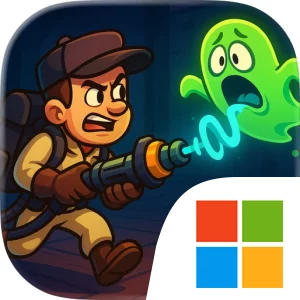
Play Ghost Invasion: Idle Hunter on Windows PC
Download the official Ghost Invasion: Idle Hunter Windows PC client and learn how to install and play the game on PC, with controls, system requirements, and practical tips.

Download Ghost Invasion: Idle Hunter Official Windows PC Client
Official Windows PC client provided by LDPlayer.
About the Official Ghost Invasion: Idle Hunter PC Client
Developer: Miniclip.com
Your hunter’s development is the central progression system. Capturing spirits helps you evolve the trapper and unlock new abilities, while equipment and upgrades improve three especially important performance traits: power, attack speed, and capture radius. Power supports your ability to deal with supernatural resistance, attack speed helps you work through repeated encounters more quickly, and a larger capture radius makes collecting spirits more efficient. Together, these upgrades give the idle structure a practical strategic layer: deciding where to invest your growth affects how quickly you can gather spirits and how prepared you are for tougher spectral threats. Completing balance-focused quests advances your progress through the game, provides special rewards, and opens access to additional mysterious locations. Each newly unlocked environment expands the space in which you can search for spirits and discover missions, keeping exploration tied directly to your next upgrade goal rather than treating it as a separate activity.
The ghost-collection loop also leads into the game’s boss encounters. Powerful bosses are presented as major tests of your supernatural skills, giving your upgraded hunter a more demanding target than ordinary spirit gathering. Before taking on these confrontations, it makes sense to improve the trapper’s power, speed, and capture radius so your progression is not built around collection alone. The game’s emphasis on adapting, evolving, and enhancing your skills suggests a steady process of preparing for increasingly serious assignments: gather masses of unquiet spirits, claim quest rewards, strengthen your equipment and abilities, then challenge the next major spectral threat. The combination of routine collection and milestone battles gives Ghost Invasion: Idle Hunter a straightforward rhythm for players who enjoy watching a character become more effective over time while working toward the larger goal of restoring balance.
A larger PC display is particularly useful when you are moving through the multitude of environments, checking which locations and special missions have been unlocked, and keeping the hunter, collected spirits, and surrounding supernatural activity easy to distinguish. It also gives you more room to compare available gear and review upgrades to power, attack speed, and capture radius before committing to the next stage of progression. Mouse input suits the repeated precision work of selecting spirits, opening quest and reward screens, and choosing upgrade options, while a keyboard-and-mouse setup makes it easier to move through menus and handle repeated management actions without relying on small touch controls. During boss preparation, that extra screen space can help you read the relevant progression information and make a deliberate decision about whether to improve collection efficiency or combat readiness first. With its idle RPG foundation, evolving trapper, unlockable locations, quest progression, spirit collection, and boss battles, the PC version offers a convenient way to manage the long-term work of pushing back the Ghost Invasion.
Screenshots
How to Download and Install the Official Ghost Invasion: Idle Hunter PC Client
- Download and install the official Windows client distributed by LDPlayer.
- Open the app and sign in with your Google Play account.
- Search for Ghost Invasion: Idle Hunter in the app store.
- Install the game and finish the first-launch download.
- Use the same game login if account sync is available.
Why Play Ghost Invasion: Idle Hunter on PC?
Menus, maps, resources, and combat details are easier to read on a desktop display.
Keyboard and mouse input makes repeated actions and long sessions more comfortable.
Desktop play avoids phone battery drain during longer farming sessions.
Keep guides, codes, and notes open alongside the game on PC.
Controls and Performance
These three settings solve most common issues when playing on PC.
Map navigation, skill use, and repeated resource actions first.
Lower resolution or graphics quality if crowded scenes lose frames.
Link your account before switching devices so progress can be restored safely.
Ghost Invasion: Idle Hunter Official PC Client FAQ
Can I play Ghost Invasion: Idle Hunter on PC?
Yes. Download the official Windows PC client distributed by LDPlayer and play with a larger screen, keyboard, and mouse controls.
Is Ghost Invasion: Idle Hunter better on PC than mobile?
Playing on PC can make longer sessions, detailed menus, and resource management more comfortable, while mobile is still convenient for quick check-ins.
Will my Ghost Invasion: Idle Hunter progress sync on PC?
Progress depends on the sign-in options supported by the game. Use the same linked Google, Facebook, Apple, or game account on both devices.
Why does Ghost Invasion: Idle Hunter lag on PC?
Lag can be caused by limited RAM, demanding graphics settings, outdated client files, or background apps. Lower the graphics settings and keep the PC client up to date.
DOWNLOAD STARTED
Your download is starting
Check your browser Downloads if it does not appear.
Official PC client for Windows, distributed by LDPlayer.
Download again