

Play Happy Zoo Rescue: ASMR Games on Windows PC
Download the official Happy Zoo Rescue: ASMR Games Windows PC client and learn how to install and play the game on PC, with controls, system requirements, and practical tips.

Download Happy Zoo Rescue: ASMR Games Official Windows PC Client
Official Windows PC client provided by LDPlayer.
About the Official Happy Zoo Rescue: ASMR Games PC Client
Developer: Trendy Buy
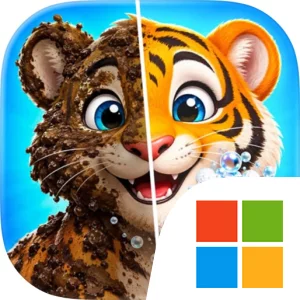
The central gameplay loop is straightforward and deliberately calming. You move through the zoo, identify spaces that need care, then scrub muddy areas, wash dirty surfaces, and fix different parts of the facilities step by step. Animals are an important part of that routine as well. You can wash and groom them, then see their cute, expressive before-and-after reactions as they go from neglected to clean and cared for. The progression comes from completing these individual makeover tasks and watching the zoo change over time, rather than from combat, competition, or complicated resource systems. Restoring a cage, cleaning a cafe, improving a ticket booth, and tidying walking paths all contribute to the same larger objective: returning the entire zoo to a condition where it feels full of life and joy.
The ASMR presentation is central to how Happy Zoo Rescue is meant to be played. Soothing cleaning sounds, relaxing visuals, and gentle music give each scrub, wash, and grooming action a satisfying rhythm. The simple structure makes it accessible for all ages, while the visible results provide a clear sense of progress without requiring elaborate planning. There is still a useful order to the work: you can focus on the dirtiest animal enclosure, restore a public-facing area such as a cafe or ticket booth, or continue along the walking paths until another part of the zoo is ready for attention. The game’s strategy is therefore light and practical, centered on deciding which neglected corner to improve next and taking the zoo through its gradual makeover.
Playing on a larger PC display can make that process easier to follow. A wider view helps you inspect muddy areas, distinguish the different parts of an enclosure, and keep track of nearby facilities and paths while moving through the zoo. It also makes the before-and-after changes in the animals and the surrounding spaces easier to appreciate. Keyboard-and-mouse input suits the repeated nature of the work: a mouse can help with precise selection of the area, animal, or facility that needs attention, while the keyboard can make navigation between parts of the zoo more comfortable during longer cleaning sessions. Those advantages are especially useful when you are moving from animal grooming to cage restoration and then on to cafes or ticket booths without losing sight of the larger makeover. If you want a gentle game built around visible improvement, tactile cleaning actions, and the steady transformation of a neglected zoo, Happy Zoo Rescue offers that experience in a focused PC format.
Screenshots
How to Download and Install the Official Happy Zoo Rescue: ASMR Games PC Client
- Download and install the official Windows client distributed by LDPlayer.
- Open the app and sign in with your Google Play account.
- Search for Happy Zoo Rescue: ASMR Games in the app store.
- Install the game and finish the first-launch download.
- Use the same game login if account sync is available.
Why Play Happy Zoo Rescue: ASMR Games on PC?
Menus, maps, resources, and combat details are easier to read on a desktop display.
Keyboard and mouse input makes repeated actions and long sessions more comfortable.
Desktop play avoids phone battery drain during longer farming sessions.
Keep guides, codes, and notes open alongside the game on PC.
Controls and Performance
These three settings solve most common issues when playing on PC.
Map navigation, skill use, and repeated resource actions first.
Lower resolution or graphics quality if crowded scenes lose frames.
Link your account before switching devices so progress can be restored safely.
Happy Zoo Rescue: ASMR Games Official PC Client FAQ
Can I play Happy Zoo Rescue: ASMR Games on PC?
Yes. Download the official Windows PC client distributed by LDPlayer and play with a larger screen, keyboard, and mouse controls.
Is Happy Zoo Rescue: ASMR Games better on PC than mobile?
Playing on PC can make longer sessions, detailed menus, and resource management more comfortable, while mobile is still convenient for quick check-ins.
Will my Happy Zoo Rescue: ASMR Games progress sync on PC?
Progress depends on the sign-in options supported by the game. Use the same linked Google, Facebook, Apple, or game account on both devices.
Why does Happy Zoo Rescue: ASMR Games lag on PC?
Lag can be caused by limited RAM, demanding graphics settings, outdated client files, or background apps. Lower the graphics settings and keep the PC client up to date.
DOWNLOAD STARTED
Your download is starting
Check your browser Downloads if it does not appear.
Official PC client for Windows, distributed by LDPlayer.
Download again