

Play Hollywood Merge on Windows PC
Download the official Hollywood Merge Windows PC client and learn how to install and play the game on PC, with controls, system requirements, and practical tips.

Download Hollywood Merge Official Windows PC Client
Official Windows PC client provided by LDPlayer.
About the Official Hollywood Merge PC Client
Developer: VoyagerOne
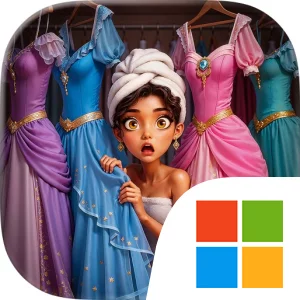
The central gameplay loop begins with combining simple fabrics and clothing items to create more impressive gowns and accessories. As you merge, you unlock exclusive designs and expand a dream closet that can contain more than 1,000 chic clothing items. That collection gives the fashion side of the game a clear sense of progression: ordinary materials can become pieces suited to a major premiere, a glamorous yacht party, or a high-profile photoshoot. Dressing for these occasions is connected to the broader story, so the clothes you create are part of your rise as an aspiring Hollywood icon rather than a separate activity. Alongside the merge-and-style progression, Hollywood Merge presents a plot filled with scandals and twists. The choices you make around your family can lead you toward forgiveness or revenge, while the romance system asks whether you want to date the hottest stars or focus more fully on your career. Fake friends and a potentially opportunistic boyfriend add uncertainty to those decisions, making relationships another part of managing your public and personal life.
Playing Hollywood Merge on PC gives these systems more room to breathe. On a larger display, it is easier to follow the available fabrics and clothing items while deciding which pieces to combine, especially when you are working toward a particular gown or accessory rather than making random merges. The extra screen space also helps when comparing the growing range of designs in your dream closet and choosing an outfit that fits a red carpet premiere, yacht party, or photoshoot. Keyboard-and-mouse input is well suited to repeated merge actions and precise clothing selections: a mouse lets you target individual items cleanly, while the keyboard provides a comfortable way to handle recurring interface actions without relying on small touchscreen controls. The result is a more readable way to manage the style-focused side of the game while keeping the drama visible around it. Whether you are protecting your place in the Dake family, responding to Rose’s hostility, navigating a love triangle, or deciding how much of your career to prioritize, the PC version presents Hollywood Merge as a combination of collection, customization, and story choices shaped by the consequences of your Hollywood journey.
Screenshots
How to Download and Install the Official Hollywood Merge PC Client
- Download and install the official Windows client distributed by LDPlayer.
- Open the app and sign in with your Google Play account.
- Search for Hollywood Merge in the app store.
- Install the game and finish the first-launch download.
- Use the same game login if account sync is available.
Why Play Hollywood Merge on PC?
Menus, maps, resources, and combat details are easier to read on a desktop display.
Keyboard and mouse input makes repeated actions and long sessions more comfortable.
Desktop play avoids phone battery drain during longer farming sessions.
Keep guides, codes, and notes open alongside the game on PC.
Controls and Performance
These three settings solve most common issues when playing on PC.
Map navigation, skill use, and repeated resource actions first.
Lower resolution or graphics quality if crowded scenes lose frames.
Link your account before switching devices so progress can be restored safely.
Hollywood Merge Official PC Client FAQ
Can I play Hollywood Merge on PC?
Yes. Download the official Windows PC client distributed by LDPlayer and play with a larger screen, keyboard, and mouse controls.
Is Hollywood Merge better on PC than mobile?
Playing on PC can make longer sessions, detailed menus, and resource management more comfortable, while mobile is still convenient for quick check-ins.
Will my Hollywood Merge progress sync on PC?
Progress depends on the sign-in options supported by the game. Use the same linked Google, Facebook, Apple, or game account on both devices.
Why does Hollywood Merge lag on PC?
Lag can be caused by limited RAM, demanding graphics settings, outdated client files, or background apps. Lower the graphics settings and keep the PC client up to date.
DOWNLOAD STARTED
Your download is starting
Check your browser Downloads if it does not appear.
Official PC client for Windows, distributed by LDPlayer.
Download again