

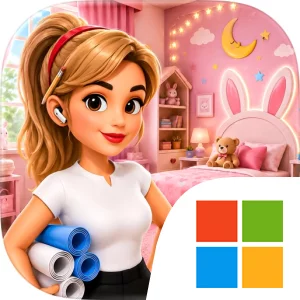
Play House Makeover & Space Styling on Windows PC
Download the official House Makeover & Space Styling Windows PC client and learn how to install and play the game on PC, with controls, system requirements, and practical tips.

Download House Makeover & Space Styling Official Windows PC Client
Official Windows PC client provided by LDPlayer.
About the Official House Makeover & Space Styling PC Client
Developer: Arbaz Ali
The central gameplay loop in House Makeover & Space Styling is built around decorating, upgrading, and refining. You begin with an empty or unfinished space, select beautiful furniture and decorations, arrange them around the room, and adjust the overall presentation until the result matches the intended direction. Completing fun design challenges helps you unlock stylish items, expanding the range of pieces available for later makeovers. Those unlocks are important because they turn progression into a collection of new creative options rather than simply a sequence of completed rooms. As you gain access to more items, you can explore different themes and make more detailed decisions about how each corner should look. The game’s upgrades reinforce that sense of improvement: each successful makeover moves a room from basic to more polished, while each newly available item gives you another way to customize the space. Because the focus is on arrangement and expression, planning matters even in this relaxed format. You need to consider how furniture and decorations work together, whether a chosen theme feels consistent, and how to use the room’s available space without losing the cozy, modern, or creative character you are aiming for.
Playing House Makeover & Space Styling on PC can make these visual decisions easier to manage. A larger display gives you a clearer view of the entire room, which helps when judging the balance between larger furniture pieces and smaller decorations, checking how an arrangement looks across the space, and noticing whether a particular corner still needs attention. It is also useful when comparing the overall effect of different themes, since you can see more of the room at once instead of relying on a smaller view. Keyboard-and-mouse input suits the hands-on nature of the game as well. A mouse allows for more deliberate selection and placement when arranging furniture or decorations, especially when several pieces are close together or when you are refining a corner repeatedly. Keyboard input complements that process by making repeated navigation and menu interactions more comfortable during longer decorating sessions. Together, the larger screen and familiar PC controls support the game’s emphasis on precision, comparison, and gradual improvement. If you enjoy completing design challenges, unlocking stylish items, and transforming empty rooms into spaces that match your own taste, House Makeover & Space Styling on PC offers a focused home-decorating experience built around creativity, customization, and rewarding upgrades.
Screenshots
How to Download and Install the Official House Makeover & Space Styling PC Client
- Download and install the official Windows client distributed by LDPlayer.
- Open the app and sign in with your Google Play account.
- Search for House Makeover & Space Styling in the app store.
- Install the game and finish the first-launch download.
- Use the same game login if account sync is available.
Why Play House Makeover & Space Styling on PC?
Menus, maps, resources, and combat details are easier to read on a desktop display.
Keyboard and mouse input makes repeated actions and long sessions more comfortable.
Desktop play avoids phone battery drain during longer farming sessions.
Keep guides, codes, and notes open alongside the game on PC.
Controls and Performance
These three settings solve most common issues when playing on PC.
Map navigation, skill use, and repeated resource actions first.
Lower resolution or graphics quality if crowded scenes lose frames.
Link your account before switching devices so progress can be restored safely.
House Makeover & Space Styling Official PC Client FAQ
Can I play House Makeover & Space Styling on PC?
Yes. Download the official Windows PC client distributed by LDPlayer and play with a larger screen, keyboard, and mouse controls.
Is House Makeover & Space Styling better on PC than mobile?
Playing on PC can make longer sessions, detailed menus, and resource management more comfortable, while mobile is still convenient for quick check-ins.
Will my House Makeover & Space Styling progress sync on PC?
Progress depends on the sign-in options supported by the game. Use the same linked Google, Facebook, Apple, or game account on both devices.
Why does House Makeover & Space Styling lag on PC?
Lag can be caused by limited RAM, demanding graphics settings, outdated client files, or background apps. Lower the graphics settings and keep the PC client up to date.
DOWNLOAD STARTED
Your download is starting
Check your browser Downloads if it does not appear.
Official PC client for Windows, distributed by LDPlayer.
Download again