

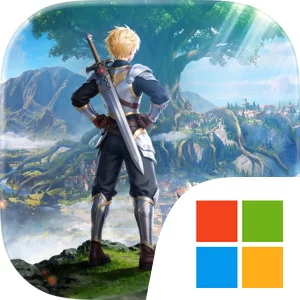
Play Land of Arielia on Windows PC
Download the official Land of Arielia Windows PC client and learn how to install and play the game on PC, with controls, system requirements, and practical tips.

Download Land of Arielia Official Windows PC Client
Official Windows PC client provided by LDPlayer.
About the Official Land of Arielia PC Client
Developer: MEDIAMAP LIMITED SRL
The game’s main loop combines free exploration, companion collection, combat, and gradual automation. Unlocking flying mounts lets you soar through Eiria’s skies and travel across its open world, making movement itself part of the adventure as you search for new places, treasures, and ruins. Along the way, you can collect mysterious pet eggs and hatch individual companions, then bring those creatures into battles against bosses and through dungeons. More than 100 pets are available, ranging from cute critters to powerful combat allies, so your collection is also a practical part of your progression rather than a purely cosmetic feature. Training these pets strengthens your ability to fight while automated farms and factories take care of systems such as mining, farming, resource gathering, and gear upgrades. That automation is designed to reduce repetitive grinding and lets you focus on exploring, raising companions, and improving your overall setup. The game also leaves room for a slower pace: you can fish by a lake, wander through meadows, and enjoy the setting without being pushed through mandatory chores or forced quests.
On PC, the larger display is especially useful for a game built around open-world travel and companion management. A wider view can make it easier to read the surrounding floating landscape while flying, judge where you are going, and keep track of points of interest as you explore Eiria. When several pets, dungeon encounters, bosses, resources, and gear upgrades compete for your attention, the extra screen space also helps you compare information and monitor your growing collection without constantly losing sight of the adventure itself. Keyboard-and-mouse controls offer practical advantages during repeated actions: movement and camera control can feel more direct while navigating the skies or wandering across the meadows, while a mouse makes it easier to select pets, interact with automated farms and factories, and review progression choices. The result is a flexible adventure that supports both active play and hands-off development. You can pursue the Dawn Saint Dragon and the title of Adventure King, build a powerful team from over 100 pets, or simply spend time fishing and exploring at your own pace.
Screenshots
How to Download and Install the Official Land of Arielia PC Client
- Download and install the official Windows client distributed by LDPlayer.
- Open the app and sign in with your Google Play account.
- Search for Land of Arielia in the app store.
- Install the game and finish the first-launch download.
- Use the same game login if account sync is available.
Why Play Land of Arielia on PC?
Menus, maps, resources, and combat details are easier to read on a desktop display.
Keyboard and mouse input makes repeated actions and long sessions more comfortable.
Desktop play avoids phone battery drain during longer farming sessions.
Keep guides, codes, and notes open alongside the game on PC.
Controls and Performance
These three settings solve most common issues when playing on PC.
Map navigation, skill use, and repeated resource actions first.
Lower resolution or graphics quality if crowded scenes lose frames.
Link your account before switching devices so progress can be restored safely.
Land of Arielia Official PC Client FAQ
Can I play Land of Arielia on PC?
Yes. Download the official Windows PC client distributed by LDPlayer and play with a larger screen, keyboard, and mouse controls.
Is Land of Arielia better on PC than mobile?
Playing on PC can make longer sessions, detailed menus, and resource management more comfortable, while mobile is still convenient for quick check-ins.
Will my Land of Arielia progress sync on PC?
Progress depends on the sign-in options supported by the game. Use the same linked Google, Facebook, Apple, or game account on both devices.
Why does Land of Arielia lag on PC?
Lag can be caused by limited RAM, demanding graphics settings, outdated client files, or background apps. Lower the graphics settings and keep the PC client up to date.
DOWNLOAD STARTED
Your download is starting
Check your browser Downloads if it does not appear.
Official PC client for Windows, distributed by LDPlayer.
Download again