
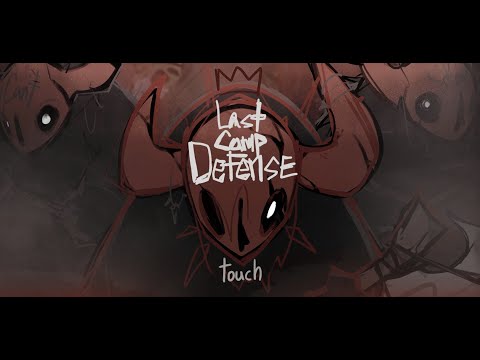

Play LastCampDefense on Windows PC
Download the official LastCampDefense Windows PC client and learn how to install and play the game on PC, with controls, system requirements, and practical tips.

Download LastCampDefense Official Windows PC Client
Official Windows PC client provided by LDPlayer.
About the Official LastCampDefense PC Client
Developer: LiberalDust
The core loop combines wave defense with card-based planning. You collect and upgrade heroes, towers and skill cards, then choose abilities and positions to suit the situation. Card selection and placement matter: the same stage can unfold differently depending on the defense you assemble, so surviving is not simply a matter of repeating one fixed setup. Each run gives you room to try a new build and see how far it holds against stronger waves. Between battles, you return to camp to prepare for the next adventure, making the camp a useful pause between the pressure of defending the flame and the next push into danger.
There is more to do than advance through the main stages. Daily, Weekly and Material Dungeons offer separate challenges, while Ranking Mode lets you test your skills against other players. The Apocalypse Battlefield adds powerful bosses to overcome, and new enemies and situations ask you to reconsider your cards and strategy rather than rely on a single answer. Co-op Mode changes the defense into a shared task: you can team up with friends or use matchmaking to find allies and stop incoming enemies together. Alongside these modes, a broad progression system gives you ongoing goals through Heroes, Traits, Pets, Gear, Weapons, Rings, Tower Cards, Skill Cards and Structures. The game describes these as nine connected growth systems, linking what you collect and improve to the defenses you can build for later encounters.
On PC, a larger display can make it easier to read the side-scrolling battlefield as enemy waves arrive and to judge how your heroes, towers and other defenses are positioned relative to the threat. That view is also useful when comparing the many categories of upgrades and deciding which cards or equipment fit your next attempt. Keyboard-and-mouse input can make repeated menu selections, card choices and camp preparation more direct, while mouse control helps you place defenses deliberately for the situation at hand. These advantages support the game’s central decisions without changing what the experience asks of you: assemble a defense, adapt it to each night or challenge, and keep the last ember burning for as long as you can.
Screenshots
How to Download and Install the Official LastCampDefense PC Client
- Download and install the official Windows client distributed by LDPlayer.
- Open the app and sign in with your Google Play account.
- Search for LastCampDefense in the app store.
- Install the game and finish the first-launch download.
- Use the same game login if account sync is available.
Why Play LastCampDefense on PC?
Menus, maps, resources, and combat details are easier to read on a desktop display.
Keyboard and mouse input makes repeated actions and long sessions more comfortable.
Desktop play avoids phone battery drain during longer farming sessions.
Keep guides, codes, and notes open alongside the game on PC.
Controls and Performance
These three settings solve most common issues when playing on PC.
Map navigation, skill use, and repeated resource actions first.
Lower resolution or graphics quality if crowded scenes lose frames.
Link your account before switching devices so progress can be restored safely.
LastCampDefense Official PC Client FAQ
Can I play LastCampDefense on PC?
Yes. Download the official Windows PC client distributed by LDPlayer and play with a larger screen, keyboard, and mouse controls.
Is LastCampDefense better on PC than mobile?
Playing on PC can make longer sessions, detailed menus, and resource management more comfortable, while mobile is still convenient for quick check-ins.
Will my LastCampDefense progress sync on PC?
Progress depends on the sign-in options supported by the game. Use the same linked Google, Facebook, Apple, or game account on both devices.
Why does LastCampDefense lag on PC?
Lag can be caused by limited RAM, demanding graphics settings, outdated client files, or background apps. Lower the graphics settings and keep the PC client up to date.
DOWNLOAD STARTED
Your download is starting
Check your browser Downloads if it does not appear.
Official PC client for Windows, distributed by LDPlayer.
Download again