

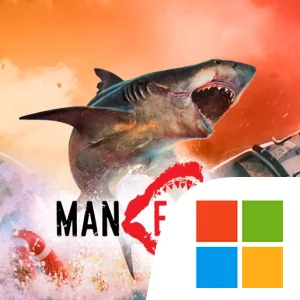
Play Maneater - Try & Buy on Windows PC
Download the official Maneater - Try & Buy Windows PC client and learn how to install and play the game on PC, with controls, system requirements, and practical tips.

Download Maneater - Try & Buy Official Windows PC Client
Official Windows PC client provided by LDPlayer.
About the Official Maneater - Try & Buy PC Client
Developer: HandyGames
The core loop is built around eating, exploring, and evolving. You move through a large Gulf Coast world divided into seven regions, including bayous, resort beaches, industrial docks, and the open ocean. Each area offers different surroundings and opponents, so progress is not simply a matter of swimming in one location and repeating the same hunt. You will encounter diverse wildlife, including other apex predators, as well as human threats ranging from town drunks to the Coast Guard. Choosing when to engage, when to search for better resources, and when to move through a dangerous area is central to keeping a growing shark alive. The full day/night cycle also makes the Gulf feel like a changing environment as you explore it, rather than a static backdrop. On a larger PC display, the differences between these regions are easier to read while you are orienting yourself, tracking a target, or deciding whether to continue through open water or return to a more familiar stretch of the bayou. Keyboard-and-mouse controls are also well suited to the moment-to-moment demands of steering a predator through confined spaces such as industrial docks, turning quickly during a wildlife fight, or switching attention between a human hunter and a nearby animal threat.
Progression is tied directly to the shark’s diet and the resources you find. Feeding on humans and wildlife helps you grow, while shark loot lets you evolve along multiple possible paths. That gives the shark more identity than a fixed protagonist: you can shape its development around the way you prefer to approach the world, whether that means preparing for confrontations with fierce wildlife, handling human hunters, or building toward the massive form needed for the revenge story. On PC, a larger display also gives you more room to compare the available evolution choices and consider how shark loot supports your preferred path before committing to the next stage of growth. The result is a focused progression system connected to every major activity: exploration reveals the Gulf’s seven regions, combat tests your survival against wildlife and humans, and eating supplies the growth that allows you to face increasingly serious opposition. If you want to sample that structure before committing, Maneater - Try & Buy on PC provides a starting point in Fawtick Bayou and establishes the game’s defining rhythm: eat what you can, explore what lies beyond the next stretch of water, and evolve toward the apex predator you need to become.
Screenshots
How to Download and Install the Official Maneater - Try & Buy PC Client
- Download and install the official Windows client distributed by LDPlayer.
- Open the app and sign in with your Google Play account.
- Search for Maneater - Try & Buy in the app store.
- Install the game and finish the first-launch download.
- Use the same game login if account sync is available.
Why Play Maneater - Try & Buy on PC?
Menus, maps, resources, and combat details are easier to read on a desktop display.
Keyboard and mouse input makes repeated actions and long sessions more comfortable.
Desktop play avoids phone battery drain during longer farming sessions.
Keep guides, codes, and notes open alongside the game on PC.
Controls and Performance
These three settings solve most common issues when playing on PC.
Map navigation, skill use, and repeated resource actions first.
Lower resolution or graphics quality if crowded scenes lose frames.
Link your account before switching devices so progress can be restored safely.
Maneater - Try & Buy Official PC Client FAQ
Can I play Maneater - Try & Buy on PC?
Yes. Download the official Windows PC client distributed by LDPlayer and play with a larger screen, keyboard, and mouse controls.
Is Maneater - Try & Buy better on PC than mobile?
Playing on PC can make longer sessions, detailed menus, and resource management more comfortable, while mobile is still convenient for quick check-ins.
Will my Maneater - Try & Buy progress sync on PC?
Progress depends on the sign-in options supported by the game. Use the same linked Google, Facebook, Apple, or game account on both devices.
Why does Maneater - Try & Buy lag on PC?
Lag can be caused by limited RAM, demanding graphics settings, outdated client files, or background apps. Lower the graphics settings and keep the PC client up to date.
DOWNLOAD STARTED
Your download is starting
Check your browser Downloads if it does not appear.
Official PC client for Windows, distributed by LDPlayer.
Download again