

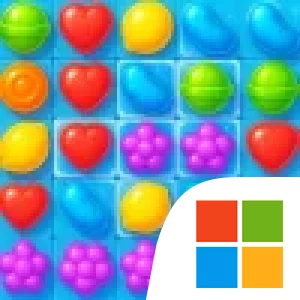
Play MatchMaster : Candy Puzzle on Windows PC
Download the official MatchMaster : Candy Puzzle Windows PC client and learn how to install and play the game on PC, with controls, system requirements, and practical tips.

Download MatchMaster : Candy Puzzle Official Windows PC Client
Official Windows PC client provided by LDPlayer.
About the Official MatchMaster : Candy Puzzle PC Client
Developer: Haz Studio
The central loop is to inspect the board, find a match that advances the current task, and decide where to spend your available moves or time. Some levels are move-limited, making each swap a resource to manage; others are timed, putting more emphasis on quick decisions. Clearing candies is only part of the job when obstacles such as honey, syrup, and ice block progress, so it is useful to consider not just what a match removes but how it helps reach the level’s goal. The large stage count supports a steady progression from simpler boards into puzzles that ask for more careful planning, while the different objectives keep that progression from being only a matter of repeating the same target.
Four boosters offer another way to respond when a board is going wrong: Lollipop, Bomb, Switch, and Color Bomb. They give you options beyond ordinary swaps, so choosing when to use one becomes part of working through a difficult stage. The game also includes daily rewards and a Lucky Spin, which provide free coins for checking in. MatchMaster is designed for short rounds as well as longer sessions, and it can be played offline once installed, making it suitable for a break without requiring a connection.
On PC, a larger display makes it easier to take in the whole board at once, compare possible matches, and spot how a move might affect the level’s specific target or break through honey, syrup, or ice. That broader view is especially useful when moves are limited or the clock is running, because you can assess the board before committing rather than relying on quick glances. Keyboard-and-mouse input offers a practical alternative to the game’s one-finger controls: a mouse lets you select and swap candies directly, while a keyboard can provide comfortable access to repeated actions if the PC version supports those inputs. Together, the screen and controls suit both a few focused puzzles and extended play through the game’s many stages. The appeal is not a complex set of rules but the steady variation in goals, constraints, and board-clearing decisions across a very large collection of levels.
Screenshots
How to Download and Install the Official MatchMaster : Candy Puzzle PC Client
- Download and install the official Windows client distributed by LDPlayer.
- Open the app and sign in with your Google Play account.
- Search for MatchMaster : Candy Puzzle in the app store.
- Install the game and finish the first-launch download.
- Use the same game login if account sync is available.
Why Play MatchMaster : Candy Puzzle on PC?
Menus, maps, resources, and combat details are easier to read on a desktop display.
Keyboard and mouse input makes repeated actions and long sessions more comfortable.
Desktop play avoids phone battery drain during longer farming sessions.
Keep guides, codes, and notes open alongside the game on PC.
Controls and Performance
These three settings solve most common issues when playing on PC.
Map navigation, skill use, and repeated resource actions first.
Lower resolution or graphics quality if crowded scenes lose frames.
Link your account before switching devices so progress can be restored safely.
MatchMaster : Candy Puzzle Official PC Client FAQ
Can I play MatchMaster : Candy Puzzle on PC?
Yes. Download the official Windows PC client distributed by LDPlayer and play with a larger screen, keyboard, and mouse controls.
Is MatchMaster : Candy Puzzle better on PC than mobile?
Playing on PC can make longer sessions, detailed menus, and resource management more comfortable, while mobile is still convenient for quick check-ins.
Will my MatchMaster : Candy Puzzle progress sync on PC?
Progress depends on the sign-in options supported by the game. Use the same linked Google, Facebook, Apple, or game account on both devices.
Why does MatchMaster : Candy Puzzle lag on PC?
Lag can be caused by limited RAM, demanding graphics settings, outdated client files, or background apps. Lower the graphics settings and keep the PC client up to date.
DOWNLOAD STARTED
Your download is starting
Check your browser Downloads if it does not appear.
Official PC client for Windows, distributed by LDPlayer.
Download again