

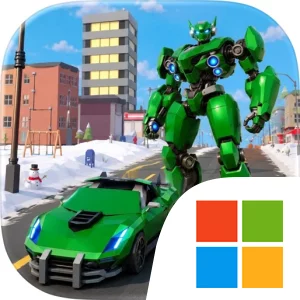
Play Mech Car Battle Racing on Windows PC
Download the official Mech Car Battle Racing Windows PC client and learn how to install and play the game on PC, with controls, system requirements, and practical tips.

Download Mech Car Battle Racing Official Windows PC Client
Official Windows PC client provided by LDPlayer.
About the Official Mech Car Battle Racing PC Client
Developer: muhammad faisal jabbar
The main goal is to complete challenging missions, battle enemies, and dominate the competition. Missions give the game a clear structure, providing objectives beyond simply driving through an arena. Each one brings together the title’s defining systems: navigating a futuristic city setting, using the car form to maintain racing momentum, transforming into a mech when combat becomes the priority, and dealing with enemies before continuing the run. Because the game describes its adventures as endless, the appeal comes from repeating this cycle across ongoing races and battles while improving your familiarity with the controls and the demands of each situation. The experience is therefore less about passive travel and more about making quick decisions: keep moving when speed is the advantage, transform when the encounter calls for combat, and manage the transition between both forms without losing control of the action.
The game’s combat and racing elements are designed to operate together rather than feel like separate activities. Enemies appear within the same futuristic arenas where you are trying to race, so awareness of your surroundings matters. A successful run depends on recognizing when the road ahead is the immediate concern and when an enemy encounter requires your attention. The mech form gives the battle side of the game its identity, while the racing car keeps the pace fast and maintains the competitive pressure. This combination also gives missions a clear rhythm: move through the arena, respond to opposition, transform as needed, and continue toward the objective. The store description does not present a separate equipment, character-collection, or upgrade system, so the most important form of progression here is mission completion and learning how to handle the transformation-based gameplay more confidently.
Playing Mech Car Battle Racing on PC can make those split-second decisions easier to manage. A larger display gives you more room to read the futuristic city arena at a glance, follow the route ahead, and notice enemies before they become an immediate problem. That is particularly useful when racing at high speed, when steering and situational awareness must work together. The extra screen space also helps separate the visual information associated with movement, combat, and transformation, making it easier to understand what is happening during a busy encounter. Instead of treating the arena as a narrow track, you can better appreciate it as a shared space where racing lines and enemy threats overlap.
Keyboard-and-mouse input is also a natural fit for the game’s quick changes in focus. Keyboard controls can give you direct, familiar access to movement, racing actions, transformation, and combat responses, which is valuable when you need to switch from driving to mech combat without hesitation. Mouse input can complement that setup by helping you make precise directional adjustments and keep your attention on the relevant part of the arena during an encounter. These advantages matter in two recurring situations: maintaining control while racing through a futuristic city arena, and reacting quickly when an enemy battle interrupts your progress. With smooth controls, 3D visuals, and a gameplay structure built around speed and confrontation, the PC version presents Mech Car Battle Racing as a focused action-racing experience for players who want their vehicle to be both a fast machine and a combat-ready robot.
Screenshots
How to Download and Install the Official Mech Car Battle Racing PC Client
- Download and install the official Windows client distributed by LDPlayer.
- Open the app and sign in with your Google Play account.
- Search for Mech Car Battle Racing in the app store.
- Install the game and finish the first-launch download.
- Use the same game login if account sync is available.
Why Play Mech Car Battle Racing on PC?
Menus, maps, resources, and combat details are easier to read on a desktop display.
Keyboard and mouse input makes repeated actions and long sessions more comfortable.
Desktop play avoids phone battery drain during longer farming sessions.
Keep guides, codes, and notes open alongside the game on PC.
Controls and Performance
These three settings solve most common issues when playing on PC.
Map navigation, skill use, and repeated resource actions first.
Lower resolution or graphics quality if crowded scenes lose frames.
Link your account before switching devices so progress can be restored safely.
Mech Car Battle Racing Official PC Client FAQ
Can I play Mech Car Battle Racing on PC?
Yes. Download the official Windows PC client distributed by LDPlayer and play with a larger screen, keyboard, and mouse controls.
Is Mech Car Battle Racing better on PC than mobile?
Playing on PC can make longer sessions, detailed menus, and resource management more comfortable, while mobile is still convenient for quick check-ins.
Will my Mech Car Battle Racing progress sync on PC?
Progress depends on the sign-in options supported by the game. Use the same linked Google, Facebook, Apple, or game account on both devices.
Why does Mech Car Battle Racing lag on PC?
Lag can be caused by limited RAM, demanding graphics settings, outdated client files, or background apps. Lower the graphics settings and keep the PC client up to date.
DOWNLOAD STARTED
Your download is starting
Check your browser Downloads if it does not appear.
Official PC client for Windows, distributed by LDPlayer.
Download again