

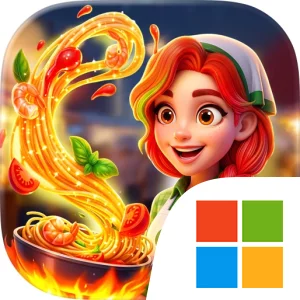
Play Merge Kitchen - Cook & Story on Windows PC
Download the official Merge Kitchen - Cook & Story Windows PC client and learn how to install and play the game on PC, with controls, system requirements, and practical tips.

Download Merge Kitchen - Cook & Story Official Windows PC Client
Official Windows PC client provided by LDPlayer.
About the Official Merge Kitchen - Cook & Story PC Client
Developer: Bigcool
The central gameplay loop begins with merging tasty food items to produce what you need for cooking. Completing recipes and serving meals is not only a way to move through the puzzle content; it also helps uncover the hidden secrets surrounding the old town. As you progress, the coins earned from cooking support renovation projects, allowing you to redesign your dream café, merge additional items, and gradually build a food empire from a neglected location. That combination gives each activity a clear purpose: the merge board supplies the ingredients and puzzle objectives, the kitchen turns those results into regional dishes, and the rewards feed back into the town makeover. The story advances alongside these systems, with fun characters and a mystery tied to the town’s decline providing context for the work you are doing.
Travel expands the adventure beyond the original setting. After restoring parts of the town and unlocking more of its cooking story, you can take the journey around the world in search of new recipes and food traditions. The store description specifically highlights romantic Italian plazas and Spanish food mysteries, along with destinations where you can cook regional food. These locations give the puzzle structure a broader sense of progression: you are not simply repeating one café task, but using cooking and exploration to discover new places, flavors, and pieces of the larger story. The focus remains on relaxed problem-solving rather than combat, with the objectives built around merging, preparing meals, earning coins, renovating, and revealing the hidden mystery of the old town.
Playing Merge Kitchen - Cook & Story on PC can make these repeated planning tasks easier to follow. A larger display gives the merge area, cooking results, and renovation details more room, which is useful when deciding which ingredients to combine and when checking how a successful cooking run contributes to the town’s restoration. It also helps when moving between the broader story, destination details, and café design choices, since more of the game’s visual information can remain visible at once. Keyboard-and-mouse input can make precise clicking and dragging feel more controlled during repeated merges, especially when you are working through several ingredient combinations in succession. A mouse is also practical for selecting recipes, serving meals, collecting coin rewards, and choosing renovation elements without relying on small touch targets. With the story, cooking, travel, and makeover systems all tied together, the PC version offers a clear way to experience this offline food adventure from its first ruined street to its restored town and global recipe journey.
Screenshots
How to Download and Install the Official Merge Kitchen - Cook & Story PC Client
- Download and install the official Windows client distributed by LDPlayer.
- Open the app and sign in with your Google Play account.
- Search for Merge Kitchen - Cook & Story in the app store.
- Install the game and finish the first-launch download.
- Use the same game login if account sync is available.
Why Play Merge Kitchen - Cook & Story on PC?
Menus, maps, resources, and combat details are easier to read on a desktop display.
Keyboard and mouse input makes repeated actions and long sessions more comfortable.
Desktop play avoids phone battery drain during longer farming sessions.
Keep guides, codes, and notes open alongside the game on PC.
Controls and Performance
These three settings solve most common issues when playing on PC.
Map navigation, skill use, and repeated resource actions first.
Lower resolution or graphics quality if crowded scenes lose frames.
Link your account before switching devices so progress can be restored safely.
Merge Kitchen - Cook & Story Official PC Client FAQ
Can I play Merge Kitchen - Cook & Story on PC?
Yes. Download the official Windows PC client distributed by LDPlayer and play with a larger screen, keyboard, and mouse controls.
Is Merge Kitchen - Cook & Story better on PC than mobile?
Playing on PC can make longer sessions, detailed menus, and resource management more comfortable, while mobile is still convenient for quick check-ins.
Will my Merge Kitchen - Cook & Story progress sync on PC?
Progress depends on the sign-in options supported by the game. Use the same linked Google, Facebook, Apple, or game account on both devices.
Why does Merge Kitchen - Cook & Story lag on PC?
Lag can be caused by limited RAM, demanding graphics settings, outdated client files, or background apps. Lower the graphics settings and keep the PC client up to date.
DOWNLOAD STARTED
Your download is starting
Check your browser Downloads if it does not appear.
Official PC client for Windows, distributed by LDPlayer.
Download again