

Play My Sticker Room - Decor Game on Windows PC
Download the official My Sticker Room - Decor Game Windows PC client and learn how to install and play the game on PC, with controls, system requirements, and practical tips.

Download My Sticker Room - Decor Game Official Windows PC Client
Official Windows PC client provided by LDPlayer.
About the Official My Sticker Room - Decor Game PC Client
Developer: SayGames Ltd
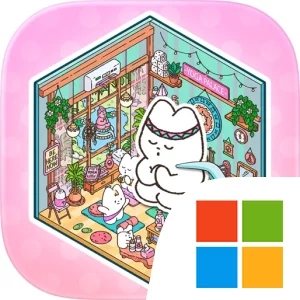
Each level functions as a sticker-book page, with empty spaces waiting for the correct pieces. The central loop is deliberately clear: identify a spot, peel up the appropriate item, place it, and repeat until the page is filled. As the décor comes together, rooms and locations become more lively, with kawaii animals such as cats and bunnies appearing in their little spaces. The store description specifically points to settings including a coffee shop and scenes where the animals are hanging with friends, giving the pages a range of cozy situations to complete. The reward is visual and immediate: décor items settle into place, the environment feels finished, and the completed scene provides a small, relaxing sense of accomplishment. Because the game handles the decorating choices through designated sticker spots, you can concentrate on placement and completion without the pressure of making every design decision yourself.
My Sticker Room is designed for short sessions as well as longer stretches of relaxed play. Its simple mechanics and calm presentation mean that completing one level can fit into a brief break, while moving through additional rooms gives you a reason to continue when you have more time. There is no indication of complex combat, resource management, or competitive multiplayer in the supplied description; the defining systems are sticker placement, page completion, room decoration, and the gradual collection of finished scenes and charming animal moments. That makes the game accessible to players of all ages and skill levels, including anyone looking for a low-pressure activity with straightforward objectives. The repeated peel-and-stick rhythm is the main source of interaction, while the changing rooms, décor items, and animal-focused scenes provide variety within that familiar structure.
Playing My Sticker Room - Decor Game on PC can make that placement-focused loop easier to follow. A larger display gives you more room to examine a full sticker-book page, distinguish individual empty spots, and appreciate how the coffee shop or other decorated locations change as items are added. Keyboard-and-mouse input also suits repeated placement actions: a mouse can provide direct, precise control when selecting stickers and positioning them over their intended spots, while the keyboard can remain available for any basic navigation or repeated interface actions the PC version provides. The larger screen is especially useful when several décor items and characters share the same page, since you can compare the available stickers with the unfinished areas without relying on a small mobile view. Together, the display and input setup support the game’s most important activities—reading the page, matching pieces, and steadily finishing each cozy scene—without changing its calm, uncomplicated character.
Screenshots
How to Download and Install the Official My Sticker Room - Decor Game PC Client
- Download and install the official Windows client distributed by LDPlayer.
- Open the app and sign in with your Google Play account.
- Search for My Sticker Room - Decor Game in the app store.
- Install the game and finish the first-launch download.
- Use the same game login if account sync is available.
Why Play My Sticker Room - Decor Game on PC?
Menus, maps, resources, and combat details are easier to read on a desktop display.
Keyboard and mouse input makes repeated actions and long sessions more comfortable.
Desktop play avoids phone battery drain during longer farming sessions.
Keep guides, codes, and notes open alongside the game on PC.
Controls and Performance
These three settings solve most common issues when playing on PC.
Map navigation, skill use, and repeated resource actions first.
Lower resolution or graphics quality if crowded scenes lose frames.
Link your account before switching devices so progress can be restored safely.
My Sticker Room - Decor Game Official PC Client FAQ
Can I play My Sticker Room - Decor Game on PC?
Yes. Download the official Windows PC client distributed by LDPlayer and play with a larger screen, keyboard, and mouse controls.
Is My Sticker Room - Decor Game better on PC than mobile?
Playing on PC can make longer sessions, detailed menus, and resource management more comfortable, while mobile is still convenient for quick check-ins.
Will my My Sticker Room - Decor Game progress sync on PC?
Progress depends on the sign-in options supported by the game. Use the same linked Google, Facebook, Apple, or game account on both devices.
Why does My Sticker Room - Decor Game lag on PC?
Lag can be caused by limited RAM, demanding graphics settings, outdated client files, or background apps. Lower the graphics settings and keep the PC client up to date.
DOWNLOAD STARTED
Your download is starting
Check your browser Downloads if it does not appear.
Official PC client for Windows, distributed by LDPlayer.
Download again