

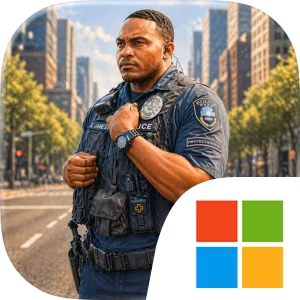
Play Police Simulator: Cops Game on Windows PC
Download the official Police Simulator: Cops Game Windows PC client and learn how to install and play the game on PC, with controls, system requirements, and practical tips.

Download Police Simulator: Cops Game Official Windows PC Client
Official Windows PC client provided by LDPlayer.
About the Official Police Simulator: Cops Game PC Client
Developer: Hamza Rahman
The core gameplay loop is deliberately focused: monitor incoming emergency calls, assess the information available, choose a response, and manage multiple critical situations across the city as they demand attention. Every second counts, so the challenge comes from making smart decisions under real-time pressure rather than treating each incident as an isolated checklist item. A theft may require a different response from an accident, while a public disturbance can demand its own level of urgency and judgment. Because the game places you in control of police units rather than portraying a single officer, its strategy comes from coordinating responses and keeping your attention on the broader situation. You are effectively managing the city’s emergency workload, balancing speed with accuracy and trying to ensure that no important call is overlooked while you handle another.
That management focus makes the PC format especially useful. A larger display gives you more room to read incoming call information, distinguish the details of several active situations, and keep track of where attention is needed across the city without constantly obscuring one piece of information with another. When a theft, accident, and public disturbance arrive close together, screen space can help you compare their urgency and make a clearer dispatch decision. Keyboard-and-mouse input also suits the repeated, precise actions at the center of the experience: selecting an emergency call, reviewing its details, choosing police units, and issuing dispatch commands in quick succession. Those controls should make it easier to move between cases and respond decisively when the situation changes.
Police Simulator: Cops Game is therefore best understood as a focused emergency-management experience. Its setting is a city under constant demand, its player role is the operator coordinating the response, and its defining systems are real-time calls, unit dispatch, case assessment, and prioritization. There is no need to rely on broad assumptions about patrols, investigations, or a large collection system; the supplied premise is more concentrated and immediate. The satisfaction comes from handling the next crisis correctly, then staying prepared for whatever arrives afterward. If you enjoy strategy built around information, timing, and responsibility, the game’s appeal lies in turning a stream of thefts, accidents, and public disturbances into a test of calm, efficient decision-making.
Screenshots
How to Download and Install the Official Police Simulator: Cops Game PC Client
- Download and install the official Windows client distributed by LDPlayer.
- Open the app and sign in with your Google Play account.
- Search for Police Simulator: Cops Game in the app store.
- Install the game and finish the first-launch download.
- Use the same game login if account sync is available.
Why Play Police Simulator: Cops Game on PC?
Menus, maps, resources, and combat details are easier to read on a desktop display.
Keyboard and mouse input makes repeated actions and long sessions more comfortable.
Desktop play avoids phone battery drain during longer farming sessions.
Keep guides, codes, and notes open alongside the game on PC.
Controls and Performance
These three settings solve most common issues when playing on PC.
Map navigation, skill use, and repeated resource actions first.
Lower resolution or graphics quality if crowded scenes lose frames.
Link your account before switching devices so progress can be restored safely.
Police Simulator: Cops Game Official PC Client FAQ
Can I play Police Simulator: Cops Game on PC?
Yes. Download the official Windows PC client distributed by LDPlayer and play with a larger screen, keyboard, and mouse controls.
Is Police Simulator: Cops Game better on PC than mobile?
Playing on PC can make longer sessions, detailed menus, and resource management more comfortable, while mobile is still convenient for quick check-ins.
Will my Police Simulator: Cops Game progress sync on PC?
Progress depends on the sign-in options supported by the game. Use the same linked Google, Facebook, Apple, or game account on both devices.
Why does Police Simulator: Cops Game lag on PC?
Lag can be caused by limited RAM, demanding graphics settings, outdated client files, or background apps. Lower the graphics settings and keep the PC client up to date.
DOWNLOAD STARTED
Your download is starting
Check your browser Downloads if it does not appear.
Official PC client for Windows, distributed by LDPlayer.
Download again