

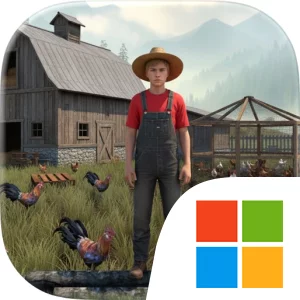
Play Ranch Life: Animal Farm Sim on Windows PC
Download the official Ranch Life: Animal Farm Sim Windows PC client and learn how to install and play the game on PC, with controls, system requirements, and practical tips.

Download Ranch Life: Animal Farm Sim Official Windows PC Client
Official Windows PC client provided by LDPlayer.
About the Official Ranch Life: Animal Farm Sim PC Client
Developer: Apex Bound Studio (Private) Limited
The central gameplay loop is straightforward but task-focused. First, you build and organize your farms, then monitor the animals and return to their needs before neglect affects the daily routine. Filling water and providing feed are not optional background details; they are recurring responsibilities that define the management side of the game. Between those duties, you hunt animals with arrows and sell the meat, using the results of that activity to build more farms. Each additional farm increases the importance of staying organized, because expansion means more ranch space and more animals to care for. The game therefore asks you to balance immediate work—feeding animals, filling water, and completing a hunt—with the longer-term objective of growing the farm itself.
On a larger PC display, the ranch’s separate areas and animals are easier to read at a glance, which can help when checking where water needs to be filled or which animals require feed. A wider, clearer view also makes the movement between farm work and hunting easier to follow, reducing the chance of overlooking a task while managing the property. Keyboard-and-mouse controls are especially useful for the game’s two contrasting forms of interaction. Mouse input can make aiming arrows feel more controlled during an animal hunt, while keyboard commands can help you move efficiently between the farms and the places where care tasks need to be completed. That matters during repeated routines, when the difference between a smooth sequence of feeding and watering actions and a disorganized one can determine how much time remains for hunting and selling meat.
Rather than treating the ranch as a static backdrop, Ranch Life: Animal Farm Sim centers its progression on the relationship between care, hunting, sales, and construction. Animals require regular attention, arrows support the hunting activity, meat has a clear purpose when sold, and the proceeds contribute to building more farms. The result is a management loop with a tangible order of operations: maintain the animals, hunt when needed, sell the meat, and reinvest in the ranch. If you prefer farm games where expansion depends on consistently handling everyday responsibilities, this PC version presents a clear objective and a focused set of systems without losing sight of the hands-on work that keeps an animal farm running.
Screenshots
How to Download and Install the Official Ranch Life: Animal Farm Sim PC Client
- Download and install the official Windows client distributed by LDPlayer.
- Open the app and sign in with your Google Play account.
- Search for Ranch Life: Animal Farm Sim in the app store.
- Install the game and finish the first-launch download.
- Use the same game login if account sync is available.
Why Play Ranch Life: Animal Farm Sim on PC?
Menus, maps, resources, and combat details are easier to read on a desktop display.
Keyboard and mouse input makes repeated actions and long sessions more comfortable.
Desktop play avoids phone battery drain during longer farming sessions.
Keep guides, codes, and notes open alongside the game on PC.
Controls and Performance
These three settings solve most common issues when playing on PC.
Map navigation, skill use, and repeated resource actions first.
Lower resolution or graphics quality if crowded scenes lose frames.
Link your account before switching devices so progress can be restored safely.
Ranch Life: Animal Farm Sim Official PC Client FAQ
Can I play Ranch Life: Animal Farm Sim on PC?
Yes. Download the official Windows PC client distributed by LDPlayer and play with a larger screen, keyboard, and mouse controls.
Is Ranch Life: Animal Farm Sim better on PC than mobile?
Playing on PC can make longer sessions, detailed menus, and resource management more comfortable, while mobile is still convenient for quick check-ins.
Will my Ranch Life: Animal Farm Sim progress sync on PC?
Progress depends on the sign-in options supported by the game. Use the same linked Google, Facebook, Apple, or game account on both devices.
Why does Ranch Life: Animal Farm Sim lag on PC?
Lag can be caused by limited RAM, demanding graphics settings, outdated client files, or background apps. Lower the graphics settings and keep the PC client up to date.
DOWNLOAD STARTED
Your download is starting
Check your browser Downloads if it does not appear.
Official PC client for Windows, distributed by LDPlayer.
Download again