
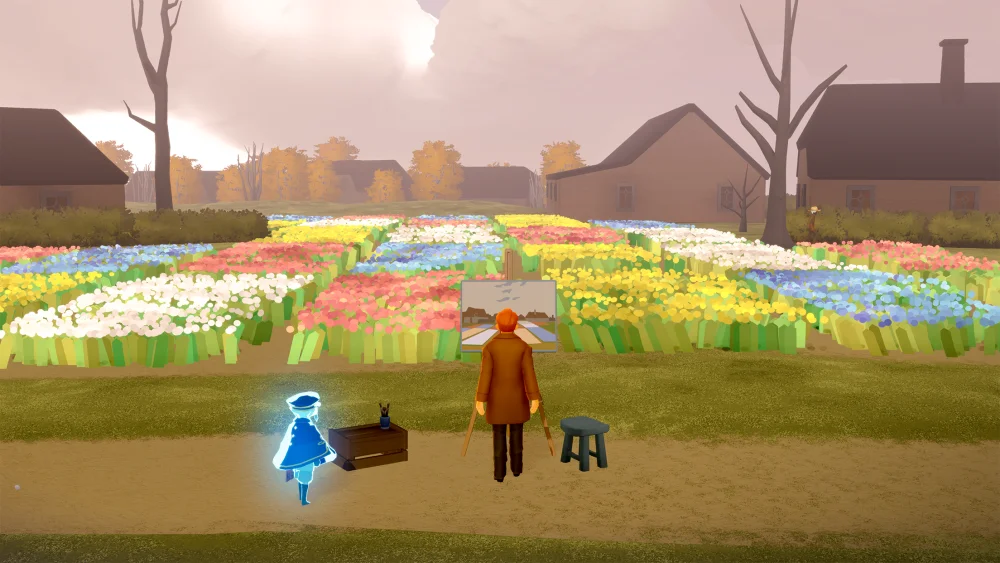
To wear headphone or earmuff cosmetics in Sky: Children of the Light, you must either activate the dynamic iOS audio feature or purchase wearable head accessories during limited-time seasonal events. Only four audio-themed headwear designs exist in the game, and only three of them are permanent items stored in your outfit closet.
All Headphone and Earmuff Cosmetics
Audio headwear is divided between a platform-dependent dynamic feature and event-exclusive wardrobe items:
| Cosmetic | Visual Design | Unlock Method | Availability & Platform Restrictions |
|---|---|---|---|
| Classic White Headphones | Minimalist white over-ear cups with a sleek headband | Play external audio on your device | Apple iOS only; free dynamic Easter egg |
| Days of Feast Earmuffs | Fluffy white plush cushions with an overhead arch | Event guide tree during Days of Feast | Annual December event; costs in-game currency |
| Cozy Hermit Ear Warmers | Padded winter warmers with stitched trim | Bearhug Hermit Traveling Spirit | Periodic weekend visits; costs candles and hearts |
| Themed Music Headset | Dark modern audio frame with accent plates | Harmony Hall events and ticket shops | Rotates during music-themed celebration periods |
How to Trigger the Free White Headphones on iOS
The classic white over-ear headphones do not exist in your cosmetic closet. They appear automatically on your avatar only while an Apple iOS device detects active background media.
Follow these steps to trigger the dynamic headset:
- Launch an external audio application on your iPhone or iPad, such as Apple Music, Spotify, or a podcast client.
- Start playback on any song, podcast, or audio stream.
- Open Sky: Children of the Light with the audio app still running in the background.
- Enter any realm or social hub to see the headphones appear over your avatar's ears.
The headphones vanish instantly whenever you pause or close your background audio. Low-power audio modes or in-game audio overrides can also cause the accessory to disappear until media playback resumes.
Non-iOS Platform Limitations
The classic white headphones cannot be triggered on Android, PC (Steam), PlayStation, or Nintendo Switch. The game uses native iOS media session APIs to detect background playback, and this feature has not been implemented for other operating systems. No in-game currency, setting adjustment, or third-party audio app will spawn this headset on non-Apple platforms.
If you primarily play on PC or console but own an iOS device, link your Sky account to your Apple hardware. Logging into the game on your iPhone or iPad allows you to wear the white headphones for screenshots or social visits while keeping your shared account progress intact.
Unlocking Permanent Headphone Alternatives
If you play on non-iOS platforms or want an accessory that stays equipped without background music, you must obtain one of the collectible wardrobe items:
- Days of Feast Earmuffs: This accessory returns every December during the winter holiday event. Visit the event guide in the Aviary Village event area or the Secret Office rooftop. The earmuffs equip into your head accessory slot and typically cost regular candles or event currency.
- Cozy Hermit Ear Warmers: This cosmetic belongs to the Bearhug Hermit from the Season of Dreams. You must wait for this spirit to return as a Traveling Spirit at Home or Aviary Village, where the headwear node can be unlocked with candles and hearts during a four-day visit.
- Themed Music Headset: This design appears during music-focused seasonal events, where it is purchased using event tickets or candles from specialty event shops.
Hairstyle and Cosmetic Compatibility
Headband models sit close to the avatar's head, which causes clipping issues with wide or voluminous hair:
- Short Hairstyles: Compact cuts, short crops, and base-game ponytails leave the ear cushions fully visible without clipping.
- Chibi Mask Scaling: Equipping the Chibi Mask scales your avatar down, giving the ear cups an oversized, prominent profile.
- Neckwear and Cape Pairings: Bulky elder capes crowd the neck and obscure the lower ear cushions. Pair headsets with minimalist capes or lightweight scarves to keep the focus on your headwear.
Free Sky: Children of the Light Codes
Current active codes and how to redeem them.

Emily Johnson
Emily writes practical mobile strategy guides with a focus on resource planning, base progression, and the early decisions that shape a long-term account.
COMMUNITY
Player Comments
105 players commented on this guide.
The tips are practical and easy to follow.
Good guide for Sky: Children of the Light players. The updates part was useful.
Can you add more details about updates in a future update?
This guide answered the exact question I had.