

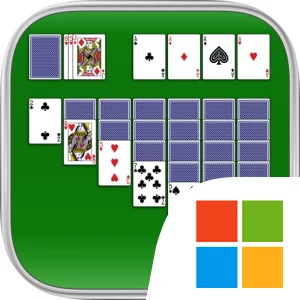

Download Solitaire Official Windows PC Client
Official Windows PC client provided by LDPlayer.
About the Official Solitaire PC Client
Developer: MobilityWare
Each round begins with a series of practical decisions. You can draw one card at a time for a more forgiving game, or draw three cards when you want the stock to demand more careful planning. Moving a visible card may uncover a hidden card, create an empty space, or build a descending alternating-color sequence, but the same move can also block an important card later in the deal. The unlimited hints and Undos support experimentation, while “Show Me How To Win” is designed to help you improve your strategy by revealing a path through a difficult position. Winning Deals add another useful option by providing deals known to have at least one winning solution, giving you a defined puzzle to work through instead of leaving every result to uncertainty.
Solitaire is also structured around progress beyond an individual hand. Completing Daily Challenges earns crowns and trophies, while points from regular play contribute to Levels & Titles. Leaderboards let you compare your results with other players, and the statistics view gives you a way to measure your own high scores and playing history. These systems make the game suitable for a quick daily objective as well as repeated attempts to improve your decisions, score, or completion record. Custom settings let you choose right- or left-handed play, switch between portrait and landscape presentation, select from multiple scoring styles, and adjust the draw mode between draw-one and draw-three. Backgrounds, card backs, and card faces can also be changed to personalize the table. The social layer is lighter but still present through reaction Stickers that can be sent to friends through iMessage.
On PC, a larger display is useful when the tableau contains several descending sequences and you need to compare the stock, waste pile, foundations, and face-down cards at the same time. More screen space makes it easier to inspect which alternating-color move will uncover a hidden card and which cards are already available for foundation placement, particularly in draw-three games where the order of the waste pile matters. A keyboard-and-mouse setup also suits the repeated actions at the heart of Solitaire: the mouse gives you precise control when selecting or dragging a card into a tableau column or foundation, while the keyboard remains available for comfortable desktop navigation between sessions and other open windows. That input setup is especially practical when testing a move, using an Undo, checking a hint, and returning to the layout several times in succession. The PC presentation does not change the core rules, but it gives the classic game a clear, spacious place to play, whether your goal is to solve today’s Daily Challenge, advance toward a new title, or simply finish one more deal.
Screenshots
How to Download and Install the Official Solitaire PC Client
- Download and install the official Windows client distributed by LDPlayer.
- Open the app and sign in with your Google Play account.
- Search for Solitaire in the app store.
- Install the game and finish the first-launch download.
- Use the same game login if account sync is available.
Why Play Solitaire on PC?
Menus, maps, resources, and combat details are easier to read on a desktop display.
Keyboard and mouse input makes repeated actions and long sessions more comfortable.
Desktop play avoids phone battery drain during longer farming sessions.
Keep guides, codes, and notes open alongside the game on PC.
Controls and Performance
These three settings solve most common issues when playing on PC.
Map navigation, skill use, and repeated resource actions first.
Lower resolution or graphics quality if crowded scenes lose frames.
Link your account before switching devices so progress can be restored safely.
Solitaire Official PC Client FAQ
Can I play Solitaire on PC?
Yes. Download the official Windows PC client distributed by LDPlayer and play with a larger screen, keyboard, and mouse controls.
Is Solitaire better on PC than mobile?
Playing on PC can make longer sessions, detailed menus, and resource management more comfortable, while mobile is still convenient for quick check-ins.
Will my Solitaire progress sync on PC?
Progress depends on the sign-in options supported by the game. Use the same linked Google, Facebook, Apple, or game account on both devices.
Why does Solitaire lag on PC?
Lag can be caused by limited RAM, demanding graphics settings, outdated client files, or background apps. Lower the graphics settings and keep the PC client up to date.
DOWNLOAD STARTED
Your download is starting
Check your browser Downloads if it does not appear.
Official PC client for Windows, distributed by LDPlayer.
Download again