

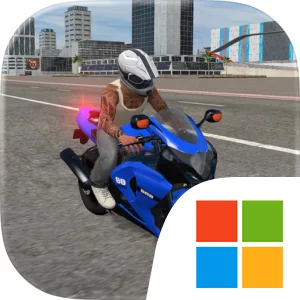
Play Moto Bike Racing Wheelie Games on Windows PC
Download the official Moto Bike Racing Wheelie Games Windows PC client and learn how to install and play the game on PC, with controls, system requirements, and practical tips.

Download Moto Bike Racing Wheelie Games Official Windows PC Client
Official Windows PC client provided by LDPlayer.
About the Official Moto Bike Racing Wheelie Games PC Client
Developer: Umair Ali
The central gameplay loop is straightforward but varied. You ride to a job or challenge, manage the route and the bike’s movement, then complete the objective well enough to receive rewards and continue progressing. Food deliveries and passenger trips emphasize getting through the city and reaching the relevant destinations, while stunt levels shift the focus to balance, timing, and precision. Ramps, jumps, and obstacles create situations in which a rushed approach can be less effective than a controlled one, making each attempt a test of how carefully you handle the motorcycle. Free riding offers a less structured way to explore different locations and improve through practice, while mission-based play gives you clear targets to pursue. As rewards accumulate, you can unlock new motorcycles and customize your rides, giving progression a practical and personal dimension. The result is a game that asks you to alternate between transportation jobs, open-city travel, and stunt-focused challenges rather than treating every ride as the same kind of activity.
Playing Moto Bike Racing Wheelie Games on PC can make those activities easier to read and manage. A larger display gives you a clearer view of busy streets when you are traveling to a delivery or passenger objective, helping you judge the space around the bike and keep track of the route ahead. It also makes ramps, jumps, and obstacles easier to identify before you commit to a stunt, which matters when successful runs depend on timing and precision. Keyboard-and-mouse input can provide a more deliberate way to handle repeated steering and movement during city jobs, while offering responsive control when you need to line up a jump or correct the bike during a stunt attempt. The mouse can also make menu interaction more convenient when comparing unlocked motorcycles or applying customization choices. Whether you prefer the open-ended pace of free riding, the clear structure of delivery and passenger missions, or the demanding rhythm of stunt levels, the PC version gives Stuntora: Moto Adventure a spacious setting for building skill, earning rewards, unlocking rides, and exploring the game’s different locations.
Screenshots
How to Download and Install the Official Moto Bike Racing Wheelie Games PC Client
- Download and install the official Windows client distributed by LDPlayer.
- Open the app and sign in with your Google Play account.
- Search for Moto Bike Racing Wheelie Games in the app store.
- Install the game and finish the first-launch download.
- Use the same game login if account sync is available.
Why Play Moto Bike Racing Wheelie Games on PC?
Menus, maps, resources, and combat details are easier to read on a desktop display.
Keyboard and mouse input makes repeated actions and long sessions more comfortable.
Desktop play avoids phone battery drain during longer farming sessions.
Keep guides, codes, and notes open alongside the game on PC.
Controls and Performance
These three settings solve most common issues when playing on PC.
Map navigation, skill use, and repeated resource actions first.
Lower resolution or graphics quality if crowded scenes lose frames.
Link your account before switching devices so progress can be restored safely.
Moto Bike Racing Wheelie Games Official PC Client FAQ
Can I play Moto Bike Racing Wheelie Games on PC?
Yes. Download the official Windows PC client distributed by LDPlayer and play with a larger screen, keyboard, and mouse controls.
Is Moto Bike Racing Wheelie Games better on PC than mobile?
Playing on PC can make longer sessions, detailed menus, and resource management more comfortable, while mobile is still convenient for quick check-ins.
Will my Moto Bike Racing Wheelie Games progress sync on PC?
Progress depends on the sign-in options supported by the game. Use the same linked Google, Facebook, Apple, or game account on both devices.
Why does Moto Bike Racing Wheelie Games lag on PC?
Lag can be caused by limited RAM, demanding graphics settings, outdated client files, or background apps. Lower the graphics settings and keep the PC client up to date.
DOWNLOAD STARTED
Your download is starting
Check your browser Downloads if it does not appear.
Official PC client for Windows, distributed by LDPlayer.
Download again