

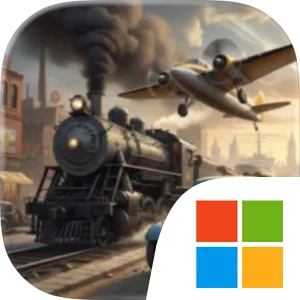
Play Transport Tycoon Manager on Windows PC
Download the official Transport Tycoon Manager Windows PC client and learn how to install and play the game on PC, with controls, system requirements, and practical tips.

Download Transport Tycoon Manager Official Windows PC Client
Official Windows PC client provided by LDPlayer.
About the Official Transport Tycoon Manager PC Client
Developer: Alda Games s.r.o.
The central gameplay loop is built around identifying useful connections, establishing routes, and refining them as conditions change. A line between cities may support passenger travel, while another can link a mine to a factory or move finished goods toward a port. Every route is part of a supply chain, so a weak connection can affect more than one destination. You will optimize networks for speed and profit, expand capacity when demand rises, and improve performance as operations become larger and more demanding. Fleet management is a major part of that process. Your growing collection of trains, ships, planes, and trucks must be assigned to suitable jobs, upgraded over time, and organized around both local deliveries and large-scale industry. The decisions are not limited to buying more vehicles; they also involve choosing how to distribute resources, when to strengthen infrastructure, and which new connection will provide the most meaningful improvement to the business.
Progression follows the changing transport industry from the 1930s through the modern age. New technologies, vehicles, infrastructure, and economic conditions alter the opportunities available to your company, requiring you to adapt instead of relying on one permanent plan. Early growth develops into a broader logistics operation as you unlock new regions, encounter fresh layouts and industries, and accept contracts that introduce bigger transport challenges. Regional expansion gives the campaign a strategic rhythm: each new area adds another set of production demands, route possibilities, and efficiency problems to solve. The goal is not simply to reach a destination, but to create a transport system that supports trade, encourages urban growth, strengthens regional economies, and remains profitable as its scale increases. Watching a small company evolve into a modern logistics powerhouse is the long-term objective, with each route, upgrade, fleet choice, and contract contributing to that transformation.
PC is a natural fit for the careful planning this simulation demands. A larger display gives you more room to examine the relationships between cities, stations, factories, mines, and ports while deciding how separate lines should connect. It also helps when comparing possible routes across different regions, checking whether a proposed link will support an existing supply chain, or reviewing several fleet assignments before committing to an expansion. Keyboard-and-mouse input suits the repeated management work involved in selecting locations, inspecting transport connections, adjusting operations, and moving between the many decisions that define a growing network. With the game covering rail, road, sea, and air transport in one business, the extra precision of a mouse is useful when working through dense logistics layouts, while a keyboard makes recurring navigation and management actions more comfortable during longer planning sessions. Transport Tycoon Manager is free to play, with optional purchases that can speed up progress, but its core appeal remains the strategy of building routes that matter, balancing production with demand, and expanding a fleet into a world-class transport empire.
Screenshots
How to Download and Install the Official Transport Tycoon Manager PC Client
- Download and install the official Windows client distributed by LDPlayer.
- Open the app and sign in with your Google Play account.
- Search for Transport Tycoon Manager in the app store.
- Install the game and finish the first-launch download.
- Use the same game login if account sync is available.
Why Play Transport Tycoon Manager on PC?
Menus, maps, resources, and combat details are easier to read on a desktop display.
Keyboard and mouse input makes repeated actions and long sessions more comfortable.
Desktop play avoids phone battery drain during longer farming sessions.
Keep guides, codes, and notes open alongside the game on PC.
Controls and Performance
These three settings solve most common issues when playing on PC.
Map navigation, skill use, and repeated resource actions first.
Lower resolution or graphics quality if crowded scenes lose frames.
Link your account before switching devices so progress can be restored safely.
Transport Tycoon Manager Official PC Client FAQ
Can I play Transport Tycoon Manager on PC?
Yes. Download the official Windows PC client distributed by LDPlayer and play with a larger screen, keyboard, and mouse controls.
Is Transport Tycoon Manager better on PC than mobile?
Playing on PC can make longer sessions, detailed menus, and resource management more comfortable, while mobile is still convenient for quick check-ins.
Will my Transport Tycoon Manager progress sync on PC?
Progress depends on the sign-in options supported by the game. Use the same linked Google, Facebook, Apple, or game account on both devices.
Why does Transport Tycoon Manager lag on PC?
Lag can be caused by limited RAM, demanding graphics settings, outdated client files, or background apps. Lower the graphics settings and keep the PC client up to date.
DOWNLOAD STARTED
Your download is starting
Check your browser Downloads if it does not appear.
Official PC client for Windows, distributed by LDPlayer.
Download again