

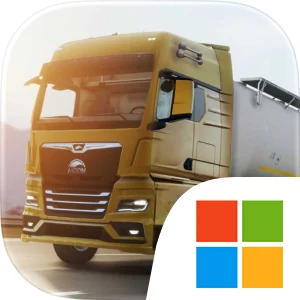
Play Truckers of Europe 3 on Windows PC
Download the official Truckers of Europe 3 Windows PC client and learn how to install and play the game on PC, with controls, system requirements, and practical tips.

Download Truckers of Europe 3 Official Windows PC Client
Official Windows PC client provided by LDPlayer.
About the Official Truckers of Europe 3 PC Client
Developer: Yalcin Senturk
The progression loop begins with selecting available work and delivering cargo, then reinvesting the earnings into new trucks and trailers. Truckers of Europe 3 includes seven different trucks, all with multiple chassis configurations, including 4x2, 6x2, 6x2/2, 6x2 Midlift, 6x2 Taglift, 6x4, and 8x4 setups. That range gives the collection and customization systems a practical place in the experience: you can expand the vehicles available to you, choose from 25 trailers and many cargo options, and personalize trucks with chassis choices, customizations, and cosmetics. The simulator also builds variety into the act of driving itself. Realistic engine sounds and detailed interiors reinforce the feeling of operating a heavy vehicle, while a smart AI traffic system means you must share the roads with other vehicles instead of treating every highway as an empty test track. Realistic weather conditions, a day-and-night cycle, and the possibility of damage or fuel consumption can change how a delivery feels from one trip to the next. Achievements and leaderboards provide longer-term goals beyond individual jobs, giving experienced drivers reasons to refine their performance and keep expanding their results.
On a larger PC display, the road environment, traffic flow, truck interior, and changing visibility are easier to read at a glance. That is useful when guiding a long vehicle through busy highway traffic, judging space on country roads, or monitoring the road during nighttime and weather conditions. Keyboard-and-mouse input also suits the simulator’s repeated driving and management tasks: keyboard controls can make steering, acceleration, and braking feel more deliberate during long hauls, while the mouse provides a convenient way to work through job choices, truck and trailer selections, and customization options. The PC format is especially helpful when comparing the available chassis configurations and deciding how to spend delivery income, because the larger interface gives those choices more room than a compact touch layout. With its combination of heavy-load deliveries, vehicle ownership, realistic driving systems, and open-world travel, Truckers of Europe 3 offers a focused trucking routine in which every trip contributes to the next upgrade and every road decision affects the journey.
Screenshots
How to Download and Install the Official Truckers of Europe 3 PC Client
- Download and install the official Windows client distributed by LDPlayer.
- Open the app and sign in with your Google Play account.
- Search for Truckers of Europe 3 in the app store.
- Install the game and finish the first-launch download.
- Use the same game login if account sync is available.
Why Play Truckers of Europe 3 on PC?
Menus, maps, resources, and combat details are easier to read on a desktop display.
Keyboard and mouse input makes repeated actions and long sessions more comfortable.
Desktop play avoids phone battery drain during longer farming sessions.
Keep guides, codes, and notes open alongside the game on PC.
Controls and Performance
These three settings solve most common issues when playing on PC.
Map navigation, skill use, and repeated resource actions first.
Lower resolution or graphics quality if crowded scenes lose frames.
Link your account before switching devices so progress can be restored safely.
Truckers of Europe 3 Official PC Client FAQ
Can I play Truckers of Europe 3 on PC?
Yes. Download the official Windows PC client distributed by LDPlayer and play with a larger screen, keyboard, and mouse controls.
Is Truckers of Europe 3 better on PC than mobile?
Playing on PC can make longer sessions, detailed menus, and resource management more comfortable, while mobile is still convenient for quick check-ins.
Will my Truckers of Europe 3 progress sync on PC?
Progress depends on the sign-in options supported by the game. Use the same linked Google, Facebook, Apple, or game account on both devices.
Why does Truckers of Europe 3 lag on PC?
Lag can be caused by limited RAM, demanding graphics settings, outdated client files, or background apps. Lower the graphics settings and keep the PC client up to date.
DOWNLOAD STARTED
Your download is starting
Check your browser Downloads if it does not appear.
Official PC client for Windows, distributed by LDPlayer.
Download again