

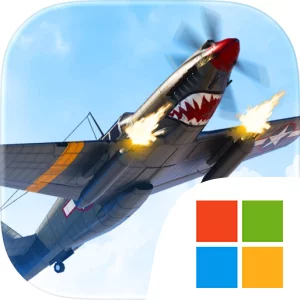
Play Wings of Heroes: Flying Games on Windows PC
Download the official Wings of Heroes: Flying Games Windows PC client and learn how to install and play the game on PC, with controls, system requirements, and practical tips.

Download Wings of Heroes: Flying Games Official Windows PC Client
Official Windows PC client provided by LDPlayer.
About the Official Wings of Heroes: Flying Games PC Client
Developer: RORTOS SRL
The central gameplay loop begins with selecting an airplane and entering one of several action-focused modes. Dogfight is built around direct aerial combat, where speed and accuracy determine the outcome of each encounter. Domination adds a strategic layer by asking teams to fight for control of strategic areas, making coordinated flying and aggressive pressure important beyond individual eliminations. Annihilation offers team-based war gameplay centered on objectives and sustained aerial action, while Ace Mode Domination raises the demand for precision flying, manual aiming, and mastery of the flight mechanics. These modes give Wings of Heroes different forms of competition: some emphasize immediate reactions and accurate attacks, while others ask you to read the flow of the match and contribute to a larger plan for controlling airspace.
Your aircraft is also part of a longer progression and collection system. You can choose among powerful fighters and bombers, then upgrade firepower, survivability, and performance to push each plane toward a preferred combat style. A faster, more agile approach and a heavier, more durable approach are represented through the game’s range of aircraft and upgrade categories, although every plane still demands control and precision in the air. Missions, challenging objectives, and achievements provide additional goals beyond winning individual matches, while rewards and exclusive content give you reasons to return. Daily rewards, live events, and rotating challenges keep the activity cycle moving, and regular additions of new planes, maps, modes, and gameplay features are intended to refresh the competitive experience over time. The store description does not present the game as a slow campaign; it is focused on repeated sorties, multiplayer competition, improvement, and earning rewards through active play.
Playing Wings of Heroes: Flying Games on PC can make that aerial information easier to manage. A larger display gives you more room to follow detailed airplanes against dynamic environments, judge the position of nearby enemies, and maintain awareness while a Domination match shifts around its strategic areas. It can also make the difference between spotting an opening and losing track of a target during a Dogfight, where fast reactions and accurate flying are central. Keyboard-and-mouse input is especially relevant in situations that demand both aircraft control and deliberate aiming. Keyboard inputs can keep your fighter or bomber responsive as you adjust its flight path, while mouse control can provide a direct way to handle manual aiming in Ace Mode Domination. That combination is useful when you need to line up an attack without giving up control of your position, and it supports the repeated corrections required by realistic flight physics. On a larger screen, comparing the available airplanes and deciding where to invest upgrades in firepower, survivability, or performance is also easier to review before returning to combat. With competitive multiplayer, multiple objectives, customizable warplanes, and several distinct modes, Wings of Heroes is built around the continuing challenge of becoming a more capable pilot rather than treating each sortie as an isolated match.
Screenshots
How to Download and Install the Official Wings of Heroes: Flying Games PC Client
- Download and install the official Windows client distributed by LDPlayer.
- Open the app and sign in with your Google Play account.
- Search for Wings of Heroes: Flying Games in the app store.
- Install the game and finish the first-launch download.
- Use the same game login if account sync is available.
Why Play Wings of Heroes: Flying Games on PC?
Menus, maps, resources, and combat details are easier to read on a desktop display.
Keyboard and mouse input makes repeated actions and long sessions more comfortable.
Desktop play avoids phone battery drain during longer farming sessions.
Keep guides, codes, and notes open alongside the game on PC.
Controls and Performance
These three settings solve most common issues when playing on PC.
Map navigation, skill use, and repeated resource actions first.
Lower resolution or graphics quality if crowded scenes lose frames.
Link your account before switching devices so progress can be restored safely.
Wings of Heroes: Flying Games Official PC Client FAQ
Can I play Wings of Heroes: Flying Games on PC?
Yes. Download the official Windows PC client distributed by LDPlayer and play with a larger screen, keyboard, and mouse controls.
Is Wings of Heroes: Flying Games better on PC than mobile?
Playing on PC can make longer sessions, detailed menus, and resource management more comfortable, while mobile is still convenient for quick check-ins.
Will my Wings of Heroes: Flying Games progress sync on PC?
Progress depends on the sign-in options supported by the game. Use the same linked Google, Facebook, Apple, or game account on both devices.
Why does Wings of Heroes: Flying Games lag on PC?
Lag can be caused by limited RAM, demanding graphics settings, outdated client files, or background apps. Lower the graphics settings and keep the PC client up to date.
DOWNLOAD STARTED
Your download is starting
Check your browser Downloads if it does not appear.
Official PC client for Windows, distributed by LDPlayer.
Download again