

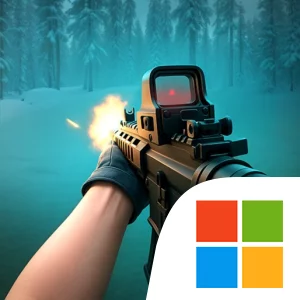
Play Zombie Apocalypse・Shooter Game on Windows PC
Download the official Zombie Apocalypse・Shooter Game Windows PC client and learn how to install and play the game on PC, with controls, system requirements, and practical tips.

Download Zombie Apocalypse・Shooter Game Official Windows PC Client
Official Windows PC client provided by LDPlayer.
About the Official Zombie Apocalypse・Shooter Game PC Client
Developer: Freeplay LLC
The central gameplay loop combines shooting moving targets with city raids and survival-focused decision-making. You will face ordinary zombie hordes alongside more distinctive dangers, including radioactive waste-shooting zombies and gigantic, death-bringing beasts. Those enemies make target selection important: a threat that attacks from range can demand attention before a larger creature closes in, while the chaos of a crowded area makes accuracy and timing just as important as aggression. The game’s sniper-shooter framing puts emphasis on lining up shots and reacting to enemies as they move, rather than treating the city as a passive backdrop. As you progress farther into the ruins, the tension rises and the goal of finding refuge becomes more immediate. Rewards support that forward momentum, and the optional VIP Club offers 25% more rewards, daily VIP gifts, and exclusive VIP guns for players who subscribe. The subscription is listed at $6.99 USD weekly and automatically renews unless turned off at least 24 hours before the current period ends, so it is worth treating those benefits as an optional layer rather than a requirement for understanding the core survival run.
A larger PC display can make the game’s combat situations easier to read. When several moving targets are on screen, more visible space helps you follow their positions, distinguish a radioactive waste-shooting zombie from other attackers, and keep track of a gigantic beast without losing sight of the surrounding horde. Keyboard-and-mouse input can also make aiming and target changes feel more deliberate: the mouse is well suited to placing a shot on a moving enemy, while the keyboard can help you handle movement and repeated actions without taking your attention away from the fight. Those advantages matter most when raiding the city, where you need to scan the area, choose which monster presents the most immediate danger, and continue advancing through the quarantined zone instead of becoming another target. The result is a focused PC presentation of a zombie shooter whose defining challenge is clear and practical: survive the ruins, defeat the monsters blocking the way, and reach the last shelter before the apocalypse claims you.
Screenshots
How to Download and Install the Official Zombie Apocalypse・Shooter Game PC Client
- Download and install the official Windows client distributed by LDPlayer.
- Open the app and sign in with your Google Play account.
- Search for Zombie Apocalypse・Shooter Game in the app store.
- Install the game and finish the first-launch download.
- Use the same game login if account sync is available.
Why Play Zombie Apocalypse・Shooter Game on PC?
Menus, maps, resources, and combat details are easier to read on a desktop display.
Keyboard and mouse input makes repeated actions and long sessions more comfortable.
Desktop play avoids phone battery drain during longer farming sessions.
Keep guides, codes, and notes open alongside the game on PC.
Controls and Performance
These three settings solve most common issues when playing on PC.
Map navigation, skill use, and repeated resource actions first.
Lower resolution or graphics quality if crowded scenes lose frames.
Link your account before switching devices so progress can be restored safely.
Zombie Apocalypse・Shooter Game Official PC Client FAQ
Can I play Zombie Apocalypse・Shooter Game on PC?
Yes. Download the official Windows PC client distributed by LDPlayer and play with a larger screen, keyboard, and mouse controls.
Is Zombie Apocalypse・Shooter Game better on PC than mobile?
Playing on PC can make longer sessions, detailed menus, and resource management more comfortable, while mobile is still convenient for quick check-ins.
Will my Zombie Apocalypse・Shooter Game progress sync on PC?
Progress depends on the sign-in options supported by the game. Use the same linked Google, Facebook, Apple, or game account on both devices.
Why does Zombie Apocalypse・Shooter Game lag on PC?
Lag can be caused by limited RAM, demanding graphics settings, outdated client files, or background apps. Lower the graphics settings and keep the PC client up to date.
DOWNLOAD STARTED
Your download is starting
Check your browser Downloads if it does not appear.
Official PC client for Windows, distributed by LDPlayer.
Download again