

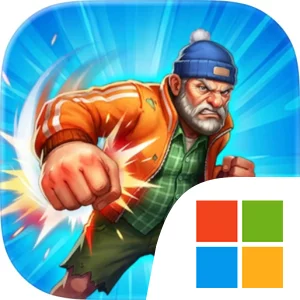

Download Brobuddy Official Windows PC Client
Official Windows PC client provided by LDPlayer.
About the Official Brobuddy PC Client
Developer: 24 HIT Riga SIA
The central gameplay loop combines movement through the city, obstacle breaking, combat, and upgrades. You gather resources as you push forward, use them to improve your weapon and tool, and then return to the streets with stronger equipment and a better chance of overcoming the mayor’s squads. Each run contributes to that larger campaign, making progress feel tied to both immediate victories and long-term growth. The weapon is important for defeating enemies, while the tool helps you break obstacles that prevent access to deeper parts of the city. Improving both gives you a practical reason to keep advancing: stronger gear allows you to deal with opposition more effectively and clear the barriers that stand between you and new areas. The goal is not simply to survive one encounter, but to build enough strength to unlock the next district and continue the push toward the mayor.
Brobuddy’s progression is therefore built around a clear cycle of collection and expansion. Resources support upgrades, upgrades support deeper exploration, and deeper exploration brings new enemy squads and additional locked-down sections to overcome. That structure suits the game’s idle arcade identity, where repeated runs and incremental gains are central to the experience. The city itself provides the campaign’s main sense of scale, dividing the fight into districts that can be reclaimed one at a time. Every obstacle cleared and squad defeated marks tangible progress in the larger objective, while the need to improve your weapon and tool gives each return to the game a useful purpose. Since you control a lone fighter rather than a full team, the emphasis remains on personal growth, choosing when your current equipment is sufficient and when another upgrade is necessary before pushing farther.
Playing Brobuddy on PC can make those repeated decisions and encounters easier to manage. A larger display gives you more room to read the city’s streets, identify blocked routes, and keep track of the district you are trying to reclaim without crowding the action. It is also useful when comparing the practical value of improving your weapon versus improving your tool: one upgrade helps with enemy squads, while the other helps remove obstacles and open access to new areas. Keyboard-and-mouse input can provide direct, responsive control when moving through restricted streets, positioning your fighter around enemies, and handling the repeated actions involved in breaking obstacles and collecting resources. Mouse precision can also help when the screen contains several points of interaction, while keyboard controls can make movement and recurring actions feel more consistent over longer runs. These advantages do not change Brobuddy’s simple arcade foundation, but they make its core loop—fight, gather, upgrade, unlock, and advance—comfortable to repeat as you work through the city and close in on the mayor.
Screenshots
How to Download and Install the Official Brobuddy PC Client
- Download and install the official Windows client distributed by LDPlayer.
- Open the app and sign in with your Google Play account.
- Search for Brobuddy in the app store.
- Install the game and finish the first-launch download.
- Use the same game login if account sync is available.
Why Play Brobuddy on PC?
Menus, maps, resources, and combat details are easier to read on a desktop display.
Keyboard and mouse input makes repeated actions and long sessions more comfortable.
Desktop play avoids phone battery drain during longer farming sessions.
Keep guides, codes, and notes open alongside the game on PC.
Controls and Performance
These three settings solve most common issues when playing on PC.
Map navigation, skill use, and repeated resource actions first.
Lower resolution or graphics quality if crowded scenes lose frames.
Link your account before switching devices so progress can be restored safely.
Brobuddy Official PC Client FAQ
Can I play Brobuddy on PC?
Yes. Download the official Windows PC client distributed by LDPlayer and play with a larger screen, keyboard, and mouse controls.
Is Brobuddy better on PC than mobile?
Playing on PC can make longer sessions, detailed menus, and resource management more comfortable, while mobile is still convenient for quick check-ins.
Will my Brobuddy progress sync on PC?
Progress depends on the sign-in options supported by the game. Use the same linked Google, Facebook, Apple, or game account on both devices.
Why does Brobuddy lag on PC?
Lag can be caused by limited RAM, demanding graphics settings, outdated client files, or background apps. Lower the graphics settings and keep the PC client up to date.
DOWNLOAD STARTED
Your download is starting
Check your browser Downloads if it does not appear.
Official PC client for Windows, distributed by LDPlayer.
Download again