

Play Jump Color Titles for Brainzot on Windows PC
Download the official Jump Color Titles for Brainzot Windows PC client and learn how to install and play the game on PC, with controls, system requirements, and practical tips.

Download Jump Color Titles for Brainzot Official Windows PC Client
Official Windows PC client provided by LDPlayer.
About the Official Jump Color Titles for Brainzot PC Client
Developer: Malik Mujtaba Usama
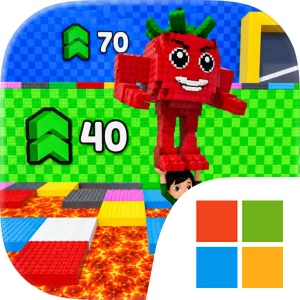
The central gameplay loop is straightforward but demanding: search for Brainzots, carry or guide them back to the base, watch for the next safe color, and reposition before the lava reaches you. The need to score points for your team adds a competitive objective to the survival challenge, while other players create additional pressure as everyone races to collect Brainzots and reach safety. There is no need to overcomplicate the strategy; success depends on balancing immediate movement with awareness of the larger situation. A Brainzot may be close, but chasing it at the wrong moment can leave you on a tile that is no longer safe. Likewise, moving too early without checking the indicators can send you away from a useful route. Each round therefore asks you to make quick decisions about whether to keep collecting, return to the base, or prioritize survival as the lava rises.
The PC format is particularly useful for a game where timing and visual information matter. A larger display makes it easier to distinguish the changing tile colors, locate the safe areas, and keep the indicators in view while you track Brainzots and the advancing lava. That added screen space can also help you judge the distance between a collectible, the base, and a route that may soon become unusable. Keyboard-and-mouse input supports the other half of the challenge: quick keyboard movement can make last-second repositioning more precise, while mouse control can help you check the arena and read the relevant indicators without losing awareness of nearby hazards. Since the safe color changes every round, clear information and responsive control are not cosmetic advantages; they directly support the moment-to-moment decisions that determine whether you survive and contribute points.
Although Jump Color Titles for Brainzot is presented as a compact amusement-focused experience, its changing conditions give each match a distinct rhythm. Early in a round, you can concentrate on collecting Brainzots and building your team’s score. As the lava spreads, the priority shifts toward route selection, fast color recognition, and getting back to the base before the surface disappears. The game’s challenge comes from combining reflexes with simple but meaningful strategy: react quickly, but do not stop paying attention to where the next safe tile may be. With competing players, team scoring, changing safe colors, and an increasingly restricted play area working together, Jump Color Titles for Brainzot on PC offers a focused survival loop for players who enjoy short matches built around movement, collection, and pressure.
Screenshots
How to Download and Install the Official Jump Color Titles for Brainzot PC Client
- Download and install the official Windows client distributed by LDPlayer.
- Open the app and sign in with your Google Play account.
- Search for Jump Color Titles for Brainzot in the app store.
- Install the game and finish the first-launch download.
- Use the same game login if account sync is available.
Why Play Jump Color Titles for Brainzot on PC?
Menus, maps, resources, and combat details are easier to read on a desktop display.
Keyboard and mouse input makes repeated actions and long sessions more comfortable.
Desktop play avoids phone battery drain during longer farming sessions.
Keep guides, codes, and notes open alongside the game on PC.
Controls and Performance
These three settings solve most common issues when playing on PC.
Map navigation, skill use, and repeated resource actions first.
Lower resolution or graphics quality if crowded scenes lose frames.
Link your account before switching devices so progress can be restored safely.
Jump Color Titles for Brainzot Official PC Client FAQ
Can I play Jump Color Titles for Brainzot on PC?
Yes. Download the official Windows PC client distributed by LDPlayer and play with a larger screen, keyboard, and mouse controls.
Is Jump Color Titles for Brainzot better on PC than mobile?
Playing on PC can make longer sessions, detailed menus, and resource management more comfortable, while mobile is still convenient for quick check-ins.
Will my Jump Color Titles for Brainzot progress sync on PC?
Progress depends on the sign-in options supported by the game. Use the same linked Google, Facebook, Apple, or game account on both devices.
Why does Jump Color Titles for Brainzot lag on PC?
Lag can be caused by limited RAM, demanding graphics settings, outdated client files, or background apps. Lower the graphics settings and keep the PC client up to date.
DOWNLOAD STARTED
Your download is starting
Check your browser Downloads if it does not appear.
Official PC client for Windows, distributed by LDPlayer.
Download again