

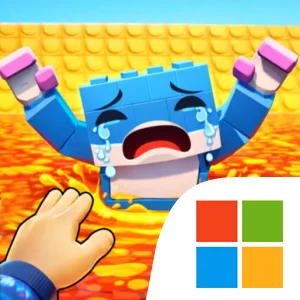
Play Lava Tsunami Save Memerots on Windows PC
Download the official Lava Tsunami Save Memerots Windows PC client and learn how to install and play the game on PC, with controls, system requirements, and practical tips.

Download Lava Tsunami Save Memerots Official Windows PC Client
Official Windows PC client provided by LDPlayer.
About the Official Lava Tsunami Save Memerots PC Client
Developer: Mohsin Khan
The core gameplay loop is straightforward but demanding. You enter a stage, move quickly across platforms, work around obstacles, rescue memerots, and search for a safe route to escape while the lava tsunami spreads rapidly behind you. Success depends on timing, reflexes, and strategy rather than on a complex set of systems. A direct route may be faster but harder to navigate, while a more careful path may give you a better chance to reach additional memerots before the lava closes in. That decision-making gives the rescue-based objective system its purpose: rescuing more memerots is not just a matter of wandering through the level, because every extra movement takes place under the same rising threat. The progressive difficulty levels then give the challenge room to build, testing your ability to make quicker judgments and more controlled movements as you advance. On PC, a larger display can make the survival task easier to read by giving you more space to track platforms, obstacles, open routes, and the lava’s advancing position at the same time. Keyboard-and-mouse input also suits the skill-focused movement mechanics: responsive keyboard inputs can help you make rapid directional changes during a platform sequence, while the mouse can help keep your attention organized around the active route and the next obstacle during repeated escape attempts. The optimized performance and smooth controls support the game’s emphasis on precision, especially when a small timing mistake can turn a promising rescue run into a failed escape. With no need for elaborate menus or unrelated systems, the focus stays on movement, route planning, and mastering each stage’s lava challenge. Rescue more memerots, survive longer, and use each attempt to improve your timing until the rising lava no longer dictates your every move.
Screenshots
How to Download and Install the Official Lava Tsunami Save Memerots PC Client
- Download and install the official Windows client distributed by LDPlayer.
- Open the app and sign in with your Google Play account.
- Search for Lava Tsunami Save Memerots in the app store.
- Install the game and finish the first-launch download.
- Use the same game login if account sync is available.
Why Play Lava Tsunami Save Memerots on PC?
Menus, maps, resources, and combat details are easier to read on a desktop display.
Keyboard and mouse input makes repeated actions and long sessions more comfortable.
Desktop play avoids phone battery drain during longer farming sessions.
Keep guides, codes, and notes open alongside the game on PC.
Controls and Performance
These three settings solve most common issues when playing on PC.
Map navigation, skill use, and repeated resource actions first.
Lower resolution or graphics quality if crowded scenes lose frames.
Link your account before switching devices so progress can be restored safely.
Lava Tsunami Save Memerots Official PC Client FAQ
Can I play Lava Tsunami Save Memerots on PC?
Yes. Download the official Windows PC client distributed by LDPlayer and play with a larger screen, keyboard, and mouse controls.
Is Lava Tsunami Save Memerots better on PC than mobile?
Playing on PC can make longer sessions, detailed menus, and resource management more comfortable, while mobile is still convenient for quick check-ins.
Will my Lava Tsunami Save Memerots progress sync on PC?
Progress depends on the sign-in options supported by the game. Use the same linked Google, Facebook, Apple, or game account on both devices.
Why does Lava Tsunami Save Memerots lag on PC?
Lag can be caused by limited RAM, demanding graphics settings, outdated client files, or background apps. Lower the graphics settings and keep the PC client up to date.
DOWNLOAD STARTED
Your download is starting
Check your browser Downloads if it does not appear.
Official PC client for Windows, distributed by LDPlayer.
Download again