

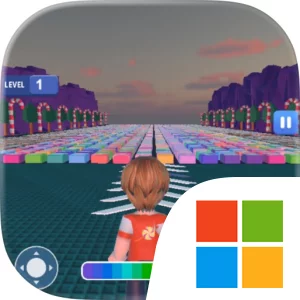
Play Mega keyboard Speed Escape on Windows PC
Download the official Mega keyboard Speed Escape Windows PC client and learn how to install and play the game on PC, with controls, system requirements, and practical tips.

Download Mega keyboard Speed Escape Official Windows PC Client
Official Windows PC client provided by LDPlayer.
About the Official Mega keyboard Speed Escape PC Client
Developer: Mudassar Sadiq
The core gameplay loop is easy to understand and gives each level a clear purpose. You begin a run by moving across the giant keyboard keys and pressing the keys required along the way. As you make progress, you earn coins, with the finish serving as the immediate goal and the coin total giving you a reason to perform well beyond simply completing the course. Those coins feed directly into progression: spend them to increase your speed, unlock new environments, and collect even more rewards in every level. Speed upgrades can make your future attempts feel more efficient, while new environments provide additional settings in which to repeat the same basic objective. The result is a straightforward cycle of running, pressing every key, earning currency, improving your character’s speed, and returning to later levels with more progression behind you.
The PC format suits the game’s defining interaction particularly well. With a larger display, the giant keyboard course is easier to read at a glance, helping you identify the keys ahead of you, judge your position on the route, and keep the finish in view while you concentrate on pressing every key. A full keyboard also makes the game’s central action immediately understandable: the input device in front of you corresponds to the oversized keys on the course, so individual key presses are easy to locate and repeat during a run. Mouse input is useful when moving through the progression side of the game, such as selecting a speed increase, choosing an environment to unlock, or reviewing the rewards you have earned before starting another level. These advantages matter because Mega Keyboard Speed Escape relies on repeated attempts and quick, readable decisions rather than a long list of systems. You can focus on improving how efficiently you cross the course, building your coin supply, and deciding when to invest in speed or open a new environment.
There is also a practical strategic choice in how you treat each run. Coins are not merely a score displayed at the end; they are the resource that determines how quickly you can strengthen your speed and access more environments. That gives successful completion a longer-term value, encouraging you to keep collecting rewards across every level instead of treating the finish line as the only measure of progress. If you want a compact PC game centered on rapid movement, keyboard-focused interaction, coin collection, and simple upgrade progression, Mega Keyboard Speed Escape offers a clear structure: cross the giant keys, press every one, reach the finish, and use the rewards from each level to make the next escape faster and more expansive.
Screenshots
How to Download and Install the Official Mega keyboard Speed Escape PC Client
- Download and install the official Windows client distributed by LDPlayer.
- Open the app and sign in with your Google Play account.
- Search for Mega keyboard Speed Escape in the app store.
- Install the game and finish the first-launch download.
- Use the same game login if account sync is available.
Why Play Mega keyboard Speed Escape on PC?
Menus, maps, resources, and combat details are easier to read on a desktop display.
Keyboard and mouse input makes repeated actions and long sessions more comfortable.
Desktop play avoids phone battery drain during longer farming sessions.
Keep guides, codes, and notes open alongside the game on PC.
Controls and Performance
These three settings solve most common issues when playing on PC.
Map navigation, skill use, and repeated resource actions first.
Lower resolution or graphics quality if crowded scenes lose frames.
Link your account before switching devices so progress can be restored safely.
Mega keyboard Speed Escape Official PC Client FAQ
Can I play Mega keyboard Speed Escape on PC?
Yes. Download the official Windows PC client distributed by LDPlayer and play with a larger screen, keyboard, and mouse controls.
Is Mega keyboard Speed Escape better on PC than mobile?
Playing on PC can make longer sessions, detailed menus, and resource management more comfortable, while mobile is still convenient for quick check-ins.
Will my Mega keyboard Speed Escape progress sync on PC?
Progress depends on the sign-in options supported by the game. Use the same linked Google, Facebook, Apple, or game account on both devices.
Why does Mega keyboard Speed Escape lag on PC?
Lag can be caused by limited RAM, demanding graphics settings, outdated client files, or background apps. Lower the graphics settings and keep the PC client up to date.
DOWNLOAD STARTED
Your download is starting
Check your browser Downloads if it does not appear.
Official PC client for Windows, distributed by LDPlayer.
Download again