

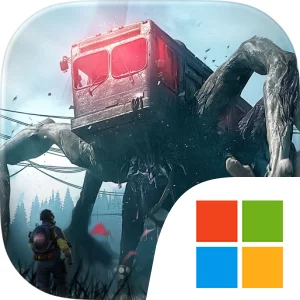
Play Once Human on Windows PC
Download the official Once Human Windows PC client and learn how to install and play the game on PC, with controls, system requirements, and practical tips.

Download Once Human Official Windows PC Client
Official Windows PC client provided by LDPlayer.
About the Official Once Human PC Client
Developer: NETEASE INTERACTIVE ENTERTAINMENT PTE. LTD
Resource gathering is central to that loop. Old-world scrap helps keep you alive, while Anomalies provide power for both your gear and your home, making each dangerous encounter relevant to more than immediate combat. Defeated Anomalies can be captured, allowing yesterday’s enemy to become tomorrow’s ally and adding a collection-focused layer to exploration. The creatures and entities you overcome are therefore not simply obstacles to clear; they can become part of your wider survival strategy. The game also lets you fuse with defeated Anomalies and wield their power, creating a direct choice between preserving your humanity and adopting the abilities of the strange world around you. Crafting expands this system by letting you turn scrap and Anomaly power into hundreds of deadly, custom weapons. That emphasis on customization gives scavenged materials a practical purpose and makes preparation important before heading back into danger. At home, survival becomes a management task as well: you can chop wood, mine ore, and tend fields, while the people and systems supporting your territory contribute to a base that runs on everyone’s effort. On PC, a larger display makes it easier to read the surrounding environment, follow threats, inspect gathered materials, and compare the resources needed for weapons, gear, and home improvements without losing sight of the action. Keyboard-and-mouse controls are also well suited to switching between equipment, responding quickly when an awakened object or other anomaly attacks, and managing repeated survival actions such as gathering, crafting, and organizing what you bring back. When playing with friends, the extra screen space can help you keep track of the battlefield while coordinating movement and resource priorities, making squad-based survival less dependent on guesswork. Once Human is therefore built around a connected set of choices: what to scavenge, which Anomalies to capture, how much power to devote to equipment or the home, which weapons to craft, and how far to compromise your humanity in order to survive.
Screenshots
How to Download and Install the Official Once Human PC Client
- Download and install the official Windows client distributed by LDPlayer.
- Open the app and sign in with your Google Play account.
- Search for Once Human in the app store.
- Install the game and finish the first-launch download.
- Use the same game login if account sync is available.
Why Play Once Human on PC?
Menus, maps, resources, and combat details are easier to read on a desktop display.
Keyboard and mouse input makes repeated actions and long sessions more comfortable.
Desktop play avoids phone battery drain during longer farming sessions.
Keep guides, codes, and notes open alongside the game on PC.
Controls and Performance
These three settings solve most common issues when playing on PC.
Map navigation, skill use, and repeated resource actions first.
Lower resolution or graphics quality if crowded scenes lose frames.
Link your account before switching devices so progress can be restored safely.
Once Human Official PC Client FAQ
Can I play Once Human on PC?
Yes. Download the official Windows PC client distributed by LDPlayer and play with a larger screen, keyboard, and mouse controls.
Is Once Human better on PC than mobile?
Playing on PC can make longer sessions, detailed menus, and resource management more comfortable, while mobile is still convenient for quick check-ins.
Will my Once Human progress sync on PC?
Progress depends on the sign-in options supported by the game. Use the same linked Google, Facebook, Apple, or game account on both devices.
Why does Once Human lag on PC?
Lag can be caused by limited RAM, demanding graphics settings, outdated client files, or background apps. Lower the graphics settings and keep the PC client up to date.
DOWNLOAD STARTED
Your download is starting
Check your browser Downloads if it does not appear.
Official PC client for Windows, distributed by LDPlayer.
Download again