

Play Football Games 2026 Goal Kick on Windows PC
Download the official Football Games 2026 Goal Kick Windows PC client and learn how to install and play the game on PC, with controls, system requirements, and practical tips.

Download Football Games 2026 Goal Kick Official Windows PC Client
Official Windows PC client provided by LDPlayer.
About the Official Football Games 2026 Goal Kick PC Client
Developer: Hamza Khan
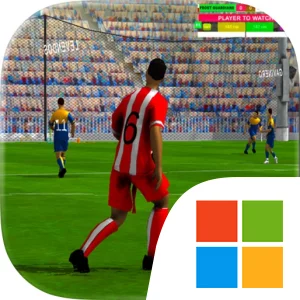
The core match loop revolves around building attacks through passing, directing squad movement, and choosing when to apply high-pressure tactics. A well-placed pass can advance the ball, shift the shape of the defense, or open the route for a teammate to attempt the perfect goal. At the same time, moving players into useful positions gives you more options than simply carrying the ball forward. When possession changes, the focus immediately turns toward defending your territory and preventing the opposing team from taking advantage of open space. Because the game presents football as an 11v11 contest, individual actions matter within the larger arrangement of the team: a pass is valuable because of what it enables next, and a defensive move is important because it protects the area your squad is trying to control. Each match therefore tests tactical skills on both sides of the ball, asking you to balance aggressive attempts to dominate the arena with the discipline needed to protect your own position.
Playing Football Games 2026 Goal Kick on PC also gives these decisions a more readable control environment. A larger display can make it easier to track the positions of multiple players at once, especially when you are deciding where to direct squad movement or identifying a passing option before the defense closes in. It can also help you read the wider shape of the match while switching attention between an attacking player, supporting teammates, and the territory behind the play. Keyboard-and-mouse input provides direct access to movement and tactical commands, which is useful when you need to react quickly during a high-pressure sequence, select the intended direction for a pass, or move the team from attacking into defensive organization. Repeated match actions, such as adjusting movement, passing through developing spaces, and responding when possession changes, can benefit from the precision and immediate feedback of PC controls. The game’s goal is clear: prove that your team has the spirit to win by combining execution with strategy. If you enjoy football games where success depends on coordinating a complete squad rather than relying on one isolated player, this is a focused 11v11 test of passing, positioning, pressure, and defensive awareness.
Screenshots
How to Download and Install the Official Football Games 2026 Goal Kick PC Client
- Download and install the official Windows client distributed by LDPlayer.
- Open the app and sign in with your Google Play account.
- Search for Football Games 2026 Goal Kick in the app store.
- Install the game and finish the first-launch download.
- Use the same game login if account sync is available.
Why Play Football Games 2026 Goal Kick on PC?
Menus, maps, resources, and combat details are easier to read on a desktop display.
Keyboard and mouse input makes repeated actions and long sessions more comfortable.
Desktop play avoids phone battery drain during longer farming sessions.
Keep guides, codes, and notes open alongside the game on PC.
Controls and Performance
These three settings solve most common issues when playing on PC.
Map navigation, skill use, and repeated resource actions first.
Lower resolution or graphics quality if crowded scenes lose frames.
Link your account before switching devices so progress can be restored safely.
Football Games 2026 Goal Kick Official PC Client FAQ
Can I play Football Games 2026 Goal Kick on PC?
Yes. Download the official Windows PC client distributed by LDPlayer and play with a larger screen, keyboard, and mouse controls.
Is Football Games 2026 Goal Kick better on PC than mobile?
Playing on PC can make longer sessions, detailed menus, and resource management more comfortable, while mobile is still convenient for quick check-ins.
Will my Football Games 2026 Goal Kick progress sync on PC?
Progress depends on the sign-in options supported by the game. Use the same linked Google, Facebook, Apple, or game account on both devices.
Why does Football Games 2026 Goal Kick lag on PC?
Lag can be caused by limited RAM, demanding graphics settings, outdated client files, or background apps. Lower the graphics settings and keep the PC client up to date.
DOWNLOAD STARTED
Your download is starting
Check your browser Downloads if it does not appear.
Official PC client for Windows, distributed by LDPlayer.
Download again