

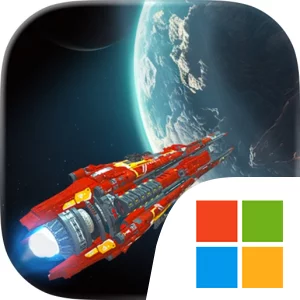
Play Stellar Wind Idle: Space RPG on Windows PC
Download the official Stellar Wind Idle: Space RPG Windows PC client and learn how to install and play the game on PC, with controls, system requirements, and practical tips.

Download Stellar Wind Idle: Space RPG Official Windows PC Client
Official Windows PC client provided by LDPlayer.
About the Official Stellar Wind Idle: Space RPG PC Client
Developer: Entropy Games Studio
Your main strategic decisions begin with the spaceships themselves. The fleet includes varied ships with different strengths and weaknesses, so selecting a lineup is more involved than choosing the newest or most powerful vessel. You can study those differences, decide how your ships should work together, and upgrade them through a variety of methods as the opposition becomes more difficult. Customizable spaceships add another layer through modules: finding useful modules and fitting them to the right vessels gives you a reason to keep investigating space and refining your fleet instead of treating every ship as interchangeable. The core loop therefore moves between preparation and discovery—build ships, customize them, enter awesome spaceship fights, collect or find improvements, and use the results to push farther across the campaign. Because auto battles handle the direct encounters, the emphasis is on fleet selection, upgrades, and preparation, while the large campaign map gives your progress a broader shape and carries a developing story from world to world. On PC, a larger display makes that map easier to read when deciding where to travel next and gives you more room to compare ship strengths, weaknesses, and module choices before committing to a fleet. Keyboard-and-mouse input also suits repeated management tasks, such as selecting ships, navigating the campaign, and applying upgrades or modules with precise clicks. That combination is particularly useful when you return after offline progress and need to review what changed, adjust your fleet, and send it back into the next stage of the galaxy’s crisis. Stellar Wind Idle: Space RPG is consequently best understood as a campaign of persistent fleet management: explore, prepare, automate the battles, and keep developing your force until you can confront the seemingly endless threat.
Screenshots
How to Download and Install the Official Stellar Wind Idle: Space RPG PC Client
- Download and install the official Windows client distributed by LDPlayer.
- Open the app and sign in with your Google Play account.
- Search for Stellar Wind Idle: Space RPG in the app store.
- Install the game and finish the first-launch download.
- Use the same game login if account sync is available.
Why Play Stellar Wind Idle: Space RPG on PC?
Menus, maps, resources, and combat details are easier to read on a desktop display.
Keyboard and mouse input makes repeated actions and long sessions more comfortable.
Desktop play avoids phone battery drain during longer farming sessions.
Keep guides, codes, and notes open alongside the game on PC.
Controls and Performance
These three settings solve most common issues when playing on PC.
Map navigation, skill use, and repeated resource actions first.
Lower resolution or graphics quality if crowded scenes lose frames.
Link your account before switching devices so progress can be restored safely.
Stellar Wind Idle: Space RPG Official PC Client FAQ
Can I play Stellar Wind Idle: Space RPG on PC?
Yes. Download the official Windows PC client distributed by LDPlayer and play with a larger screen, keyboard, and mouse controls.
Is Stellar Wind Idle: Space RPG better on PC than mobile?
Playing on PC can make longer sessions, detailed menus, and resource management more comfortable, while mobile is still convenient for quick check-ins.
Will my Stellar Wind Idle: Space RPG progress sync on PC?
Progress depends on the sign-in options supported by the game. Use the same linked Google, Facebook, Apple, or game account on both devices.
Why does Stellar Wind Idle: Space RPG lag on PC?
Lag can be caused by limited RAM, demanding graphics settings, outdated client files, or background apps. Lower the graphics settings and keep the PC client up to date.
DOWNLOAD STARTED
Your download is starting
Check your browser Downloads if it does not appear.
Official PC client for Windows, distributed by LDPlayer.
Download again