

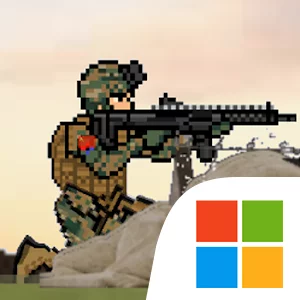
Play Warzone Commander on Windows PC
Download the official Warzone Commander Windows PC client and learn how to install and play the game on PC, with controls, system requirements, and practical tips.

Download Warzone Commander Official Windows PC Client
Official Windows PC client provided by LDPlayer.
About the Official Warzone Commander PC Client
Developer: KhoGames
The central gameplay loop revolves around deploying and directing a tactical squad, engaging enemy forces, and adapting your strategy as the battle develops. Squad members have unique skills, so selecting how and where to use them is an important part of outmaneuvering the enemy. Your army can also draw on a broad arsenal that includes helicopters, aircrafts, and tanks, letting you shape an operation around the strengths of different vehicles and weapons. Equipment matters as well: weapons and vehicles can be customized to match your tactical preferences, giving you room to prepare your forces for the demands of a particular engagement. Alongside frontline battles, Warzone Commander includes base defense, warfare operations, and special forces missions. Defending your base requires a different mindset from infiltrating enemy lines, while special forces missions focus on accomplishing critical objectives behind hostile positions. On PC, the larger display makes it easier to read the battlefield at a glance, follow movement through trenches and open warzones, and judge how your squad, vehicles, and enemy attacks relate to one another. Keyboard-and-mouse controls are also well suited to issuing repeated commands, selecting specific forces, switching between tactical choices, and handling fast action when a shooter encounter develops. The additional screen space can help when comparing weapons or vehicle options during customization, while precise mouse input supports careful targeting and rapid responses in combat. Whether you are organizing a squad assault, deploying a tank to strengthen a defensive position, sending aircraft into a contested area, or directing a special forces infiltration, the PC version gives you a clear command view for managing the overlapping decisions that define each mission.
Screenshots
How to Download and Install the Official Warzone Commander PC Client
- Download and install the official Windows client distributed by LDPlayer.
- Open the app and sign in with your Google Play account.
- Search for Warzone Commander in the app store.
- Install the game and finish the first-launch download.
- Use the same game login if account sync is available.
Why Play Warzone Commander on PC?
Menus, maps, resources, and combat details are easier to read on a desktop display.
Keyboard and mouse input makes repeated actions and long sessions more comfortable.
Desktop play avoids phone battery drain during longer farming sessions.
Keep guides, codes, and notes open alongside the game on PC.
Controls and Performance
These three settings solve most common issues when playing on PC.
Map navigation, skill use, and repeated resource actions first.
Lower resolution or graphics quality if crowded scenes lose frames.
Link your account before switching devices so progress can be restored safely.
Warzone Commander Official PC Client FAQ
Can I play Warzone Commander on PC?
Yes. Download the official Windows PC client distributed by LDPlayer and play with a larger screen, keyboard, and mouse controls.
Is Warzone Commander better on PC than mobile?
Playing on PC can make longer sessions, detailed menus, and resource management more comfortable, while mobile is still convenient for quick check-ins.
Will my Warzone Commander progress sync on PC?
Progress depends on the sign-in options supported by the game. Use the same linked Google, Facebook, Apple, or game account on both devices.
Why does Warzone Commander lag on PC?
Lag can be caused by limited RAM, demanding graphics settings, outdated client files, or background apps. Lower the graphics settings and keep the PC client up to date.
DOWNLOAD STARTED
Your download is starting
Check your browser Downloads if it does not appear.
Official PC client for Windows, distributed by LDPlayer.
Download again