

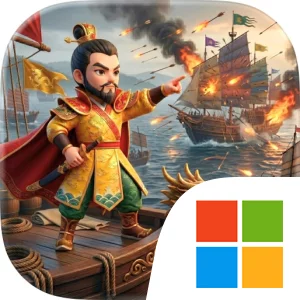
Play Nam Quốc Sơn Hà on Windows PC
Download the official Nam Quốc Sơn Hà Windows PC client and learn how to install and play the game on PC, with controls, system requirements, and practical tips.

Download Nam Quốc Sơn Hà Official Windows PC Client
Official Windows PC client provided by LDPlayer.
About the Official Nam Quốc Sơn Hà PC Client
Developer: IMBA TECHNOLOGY COMPANY LIMITED
The central gameplay loop revolves around establishing a varied defensive system, placing your available strength where it can stop the enemy, and improving your structures as the campaign advances. Each stage requires you to assess the situation, decide how to arrange your forces, and adjust your approach when different enemy types bring different tactics to the fight. The store description emphasizes dozens of levels with steadily increasing difficulty, so the challenge is built around refining your decisions over time rather than relying on one successful setup. Upgrading buildings is a key part of that progression, allowing you to optimize your defense from one level to the next and respond to more demanding attacks. You will need to balance immediate survival with longer-term improvement: a position that holds during one assault may not remain effective when the game introduces a tougher combination of enemies or demands faster reactions. Because the experience stresses thought, reflexes, and calculation together, success depends on both preparing a strong formation and recognizing when the battlefield requires a quick correction.
The PC format is particularly useful for the kind of visual and tactical attention Nam Quốc Sơn Hà demands. A larger display gives you a clearer view of the defensive layout, making it easier to survey the battlefield before committing to a position and to track several areas of pressure when enemy waves approach. That broader view also helps when comparing the condition and placement of multiple defensive structures, especially as increasingly difficult stages require more careful optimization. Mouse-and-keyboard input can make precise actions more comfortable: the mouse is well suited to selecting construction points, choosing a structure to upgrade, and shifting attention between different parts of the defense, while the keyboard provides a convenient way to navigate menus and handle repeated selections without relying on small touch targets. These advantages matter most when the game’s demand for calculation meets its emphasis on reflexes, since a clear screen and accurate input can help you respond quickly without losing sight of your overall plan.
Nam Quốc Sơn Hà also uses its presentation to reinforce the strategic setting. Its distinctly Vietnamese, epic-inspired design, lively combat effects, and heroic audio are intended to make each defensive stand feel connected to a broader historical identity. The result is a tower defense experience centered on national defense, structured progression, and increasingly complex tactical problems. If you enjoy games where building the right defensive system is only the beginning, the combination of fortification construction, force arrangement, structure upgrades, varied enemy tactics, and dozens of rising-difficulty stages gives you a focused campaign to master. The question at the heart of every level is direct: can your strategy hold the line and keep the land secure?
Screenshots
How to Download and Install the Official Nam Quốc Sơn Hà PC Client
- Download and install the official Windows client distributed by LDPlayer.
- Open the app and sign in with your Google Play account.
- Search for Nam Quốc Sơn Hà in the app store.
- Install the game and finish the first-launch download.
- Use the same game login if account sync is available.
Why Play Nam Quốc Sơn Hà on PC?
Menus, maps, resources, and combat details are easier to read on a desktop display.
Keyboard and mouse input makes repeated actions and long sessions more comfortable.
Desktop play avoids phone battery drain during longer farming sessions.
Keep guides, codes, and notes open alongside the game on PC.
Controls and Performance
These three settings solve most common issues when playing on PC.
Map navigation, skill use, and repeated resource actions first.
Lower resolution or graphics quality if crowded scenes lose frames.
Link your account before switching devices so progress can be restored safely.
Nam Quốc Sơn Hà Official PC Client FAQ
Can I play Nam Quốc Sơn Hà on PC?
Yes. Download the official Windows PC client distributed by LDPlayer and play with a larger screen, keyboard, and mouse controls.
Is Nam Quốc Sơn Hà better on PC than mobile?
Playing on PC can make longer sessions, detailed menus, and resource management more comfortable, while mobile is still convenient for quick check-ins.
Will my Nam Quốc Sơn Hà progress sync on PC?
Progress depends on the sign-in options supported by the game. Use the same linked Google, Facebook, Apple, or game account on both devices.
Why does Nam Quốc Sơn Hà lag on PC?
Lag can be caused by limited RAM, demanding graphics settings, outdated client files, or background apps. Lower the graphics settings and keep the PC client up to date.
DOWNLOAD STARTED
Your download is starting
Check your browser Downloads if it does not appear.
Official PC client for Windows, distributed by LDPlayer.
Download again