

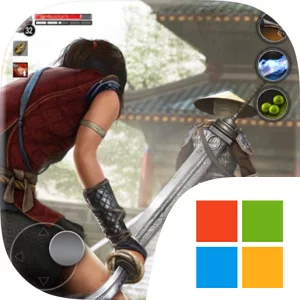
Play Ryuko: Legend of Shadow Hunter on Windows PC
Download the official Ryuko: Legend of Shadow Hunter Windows PC client and learn how to install and play the game on PC, with controls, system requirements, and practical tips.

Download Ryuko: Legend of Shadow Hunter Official Windows PC Client
Official Windows PC client provided by LDPlayer.
About the Official Ryuko: Legend of Shadow Hunter PC Client
Developer: Monstermob Usa, INC.
The central loop combines exploration, sword fighting, stealth, character improvement, and preparation for increasingly dangerous encounters. In Black Eye Fortress, Ryuko learns the fundamentals of combat, including stealth kills, finisher moves, uninterrupted attacks, elixir use, and special abilities. The opening region also introduces the practical side of progression: looting weapons, repairing them, upgrading equipment, and increasing the character level. Those systems remain important as you move into the more demanding areas of Kurome, where different enemies require different responses. Creek Garden introduces tougher shadow warriors and the first hunter encounter, while Mangle Woods is built around stealth. Its fiery demon enemies can only be killed with attacks from behind, making patience, positioning, and a deliberate route through the region more important than simply attacking everything in sight. In Deserted Castle, the wider open area brings together monsters, ninjas, fiery demons, and hunters, creating more varied battles and more reasons to consider which sword, elixir, and skill combination fits the situation.
Each region includes a Hunter's Castle that serves as a safe place to rest and improve Ryuko and her weapons. These stops give the open-world journey a useful rhythm: explore the battlegrounds, discover landmarks and detailed characters, fight through enemies, gather or maintain equipment, then return to prepare for the next stretch. Fast travel is also available, which helps make movement across Kurome more manageable as you revisit areas or work through the broader regions. The game’s combat is not presented as a single solution for every opponent. Enemy AI differs from one foe to another, and the game expects you to mix direct sword fighting with stealth attacks, death moves, uninterrupted attacks, special abilities, and elixirs. Boss fights provide major tests of that approach, demanding that you recognize the threat in front of you and use the appropriate strategy rather than relying on one repeated attack.
On PC, the larger display can make Kurome’s open regions easier to read while you search for landmarks, identify routes through battlegrounds, and keep track of threats during exploration. It is particularly useful in Mangle Woods, where spotting an opening to an enemy’s back and planning a stealth approach are central to progress. Keyboard-and-mouse input also gives combat and movement more direct control when you need to switch between positioning, attacks, special abilities, and elixir use, or when you are comparing the situation against several enemy types in a crowded area. At Hunter’s Castles, the extra screen space is helpful for reviewing your character and weapon upgrades and deciding how to prepare before a boss encounter. With five regions, many swords, multiple elixirs, stealth-focused objectives, fast travel, and a story built around the search for Taguchi Sensei, Ryuko: Legend of Shadow Hunter offers a focused offline ninja adventure shaped as much by planning and adaptation as by the fight itself.
Screenshots
How to Download and Install the Official Ryuko: Legend of Shadow Hunter PC Client
- Download and install the official Windows client distributed by LDPlayer.
- Open the app and sign in with your Google Play account.
- Search for Ryuko: Legend of Shadow Hunter in the app store.
- Install the game and finish the first-launch download.
- Use the same game login if account sync is available.
Why Play Ryuko: Legend of Shadow Hunter on PC?
Menus, maps, resources, and combat details are easier to read on a desktop display.
Keyboard and mouse input makes repeated actions and long sessions more comfortable.
Desktop play avoids phone battery drain during longer farming sessions.
Keep guides, codes, and notes open alongside the game on PC.
Controls and Performance
These three settings solve most common issues when playing on PC.
Map navigation, skill use, and repeated resource actions first.
Lower resolution or graphics quality if crowded scenes lose frames.
Link your account before switching devices so progress can be restored safely.
Ryuko: Legend of Shadow Hunter Official PC Client FAQ
Can I play Ryuko: Legend of Shadow Hunter on PC?
Yes. Download the official Windows PC client distributed by LDPlayer and play with a larger screen, keyboard, and mouse controls.
Is Ryuko: Legend of Shadow Hunter better on PC than mobile?
Playing on PC can make longer sessions, detailed menus, and resource management more comfortable, while mobile is still convenient for quick check-ins.
Will my Ryuko: Legend of Shadow Hunter progress sync on PC?
Progress depends on the sign-in options supported by the game. Use the same linked Google, Facebook, Apple, or game account on both devices.
Why does Ryuko: Legend of Shadow Hunter lag on PC?
Lag can be caused by limited RAM, demanding graphics settings, outdated client files, or background apps. Lower the graphics settings and keep the PC client up to date.
DOWNLOAD STARTED
Your download is starting
Check your browser Downloads if it does not appear.
Official PC client for Windows, distributed by LDPlayer.
Download again