

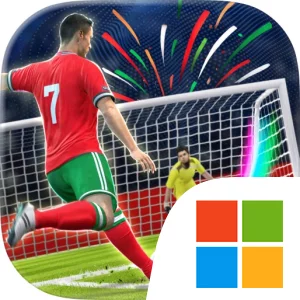
Play Soccer Superstar on Windows PC
Download the official Soccer Superstar Windows PC client and learn how to install and play the game on PC, with controls, system requirements, and practical tips.

Download Soccer Superstar Official Windows PC Client
Official Windows PC client provided by LDPlayer.
About the Official Soccer Superstar PC Client
Developer: Real Free Soccer
Your broader goal is to become a Soccer Superstar while building and managing a team of eleven through the game’s dream Leagues. Progression is tied to repeated matches, increasingly demanding scoring situations, and the freedom to reflect your own strategy as you level up. That makes shot selection the central strategic system: a direct attempt may work against an open goal, while a curved strike or a pass through a narrow gap can be necessary when defenders close down the obvious route. The game also includes star soccer players to unlock, using motion capture from real star players, giving collection and roster development a place alongside on-field execution. You can represent both your country and your Club in weekly offline tournaments, with those events providing a separate objective beyond simply moving through the regular Leagues. Because the game can be played offline, you can manage your team of eleven, pursue progression, and enter its offline tournament structure without depending on an internet connection. The store description also identifies an optional VIP subscription with no ads, an exclusive trajectory, and daily rewind tickets, although the core game is presented as free to play offline.
A larger PC display can make Soccer Superstar’s visual decision-making easier to follow. When a shot must curve around a wall of defenders or pass through a narrow opening, more screen space gives you a clearer view of the ball, defensive line, goal, and available target, which is useful when planning the flick instead of relying on a quick guess. A mouse is also well suited to the game’s gesture-based design: dragging across the ball with a controlled movement can make the intended direction and bend easier to judge than a cramped touch surface. Keyboard-and-mouse input can further simplify the management side of the experience by making it easier to move through player, League, and tournament screens, select members of your eleven, and review progression between matches. The PC format is therefore most useful for players who want the game’s fast, approachable flick-to-kick action presented at a larger scale, while still having a more comfortable way to handle repeated menu and team-management actions. Soccer Superstar remains centered on quick arcade football rather than a complex simulation, but its rising difficulty, unlockable players, offline tournaments, and emphasis on bending shots give each stage a clear reason to think before you flick.
Screenshots
How to Download and Install the Official Soccer Superstar PC Client
- Download and install the official Windows client distributed by LDPlayer.
- Open the app and sign in with your Google Play account.
- Search for Soccer Superstar in the app store.
- Install the game and finish the first-launch download.
- Use the same game login if account sync is available.
Why Play Soccer Superstar on PC?
Menus, maps, resources, and combat details are easier to read on a desktop display.
Keyboard and mouse input makes repeated actions and long sessions more comfortable.
Desktop play avoids phone battery drain during longer farming sessions.
Keep guides, codes, and notes open alongside the game on PC.
Controls and Performance
These three settings solve most common issues when playing on PC.
Map navigation, skill use, and repeated resource actions first.
Lower resolution or graphics quality if crowded scenes lose frames.
Link your account before switching devices so progress can be restored safely.
Soccer Superstar Official PC Client FAQ
Can I play Soccer Superstar on PC?
Yes. Download the official Windows PC client distributed by LDPlayer and play with a larger screen, keyboard, and mouse controls.
Is Soccer Superstar better on PC than mobile?
Playing on PC can make longer sessions, detailed menus, and resource management more comfortable, while mobile is still convenient for quick check-ins.
Will my Soccer Superstar progress sync on PC?
Progress depends on the sign-in options supported by the game. Use the same linked Google, Facebook, Apple, or game account on both devices.
Why does Soccer Superstar lag on PC?
Lag can be caused by limited RAM, demanding graphics settings, outdated client files, or background apps. Lower the graphics settings and keep the PC client up to date.
DOWNLOAD STARTED
Your download is starting
Check your browser Downloads if it does not appear.
Official PC client for Windows, distributed by LDPlayer.
Download again